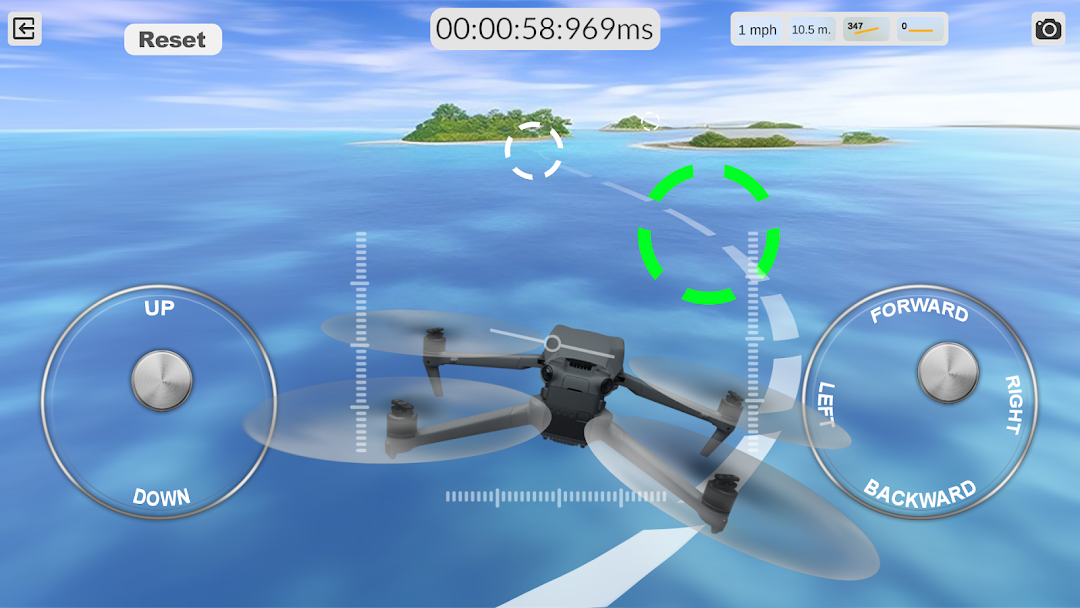
DRS - Drone Flight Simulator is a Simulation application developed by PSV Apps&Games, but with the best Android emulator-LDPlayer, you can download and play DRS - Drone Flight Simulator on your computer.
Running DRS - Drone Flight Simulator on your computer allows you to browse clearly on a large screen, and controlling the application with a mouse and keyboard is much faster than using touchscreen, all while never having to worry about device battery issues.
With multi-instance and synchronization features, you can even run multiple applications and accounts on your PC.
And file sharing makes sharing images, videos, and files incredibly easy.
Download DRS - Drone Flight Simulator and run it on your PC. Enjoy the large screen and high-definition quality on your PC!
An augmented reality flight simulator for drones designed to help beginners practice maneuvering virtual drones before flying real ones. Players will learn the fundamental rules of drone control that every pilot should follow. Start flying now!Fly safely with your remote-controlled quadcopter, overcoming all obstacles quickly. Achieve maximum precision and earn extra bonuses. A drone pilot should be able to fly swiftly and land safely at the designated spot. Fly as much as you want, regardless of rain, wind, or snow. A truly realistic drone piloting experience awaits you.
The game features a diverse range of unmanned aerial vehicles, from small racing drones to powerful quadcopters for aerial photography. The drone simulator includes FPV camera mode, allowing you to fully experience the sensation of free flight.
Features:
Realistic drone flight physics
Colorful and detailed graphics
Racing and sandbox modes
Wide selection of flight locations
Convenient and adjustable controls
You can connect your own controller or fly using on-screen joysticks. If you're a beginner, use the throttle stick stabilizer; it significantly simplifies quadcopter flight in this FPV quadcopter simulator. Drone racing has never been this exciting.
Adjust the settings to match your favorite drone characteristics. This quadcopter simulator has everything you need for a realistic flight: acro mode, multiple camera modes, camera angle adjustment, and drone weight. You can practice takeoffs and landings in challenging terrain conditions and simulate various drone missions.
Practice your freestyle moves on unmanned aerial vehicles in different locations, from a spacious soccer stadium to an enclosed space. Control your drone in an industrial hangar, a forest, a city, or over the ocean.
Crashing a quadcopter in real life is very costly. Train in drone flights using our new app and prepare for real flights. Try the best tool for learning and developing quadcopter control skills!