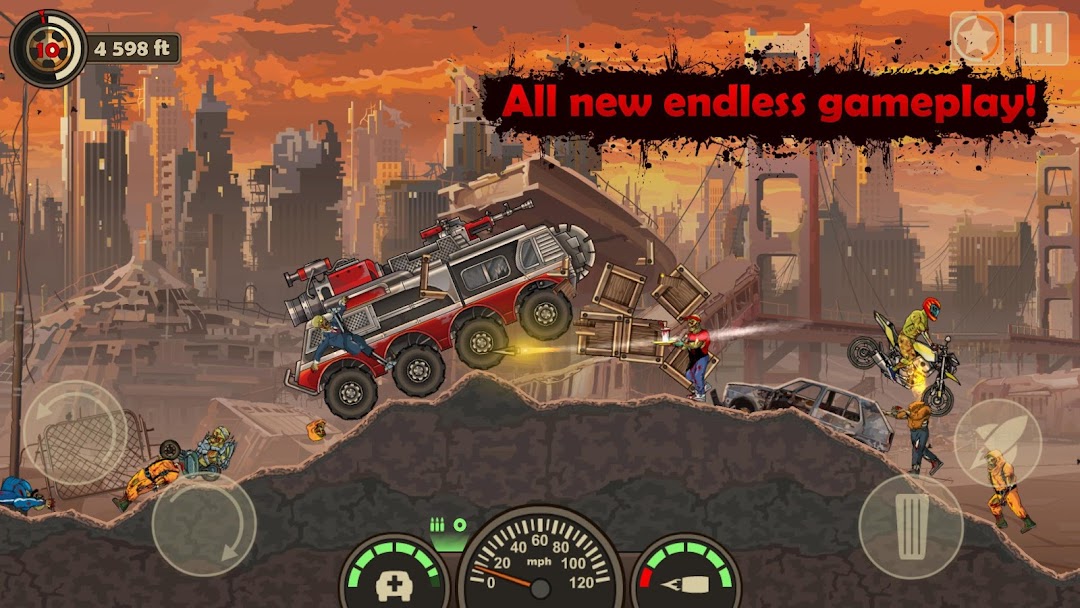
Earn to Die 3 is a Racing game developed by Not Doppler. LDPlayer is the best platform for playing Earn to Die 3 on Windows PC, providing robust features to help you achieve an immersive experience in Earn to Die 3.
When playing Earn to Die 3 on your computer, if you prefer using your own gamepad to control the game, LDPlayer's automatic gamepad detection can assist you in customizing controls with just a few simple clicks, allowing you to enjoy more realistic racing scenes and challenges.
With support for high frame rates, the game's diverse track designs and rich terrain and environmental changes become even more lifelike and detailed.
Additionally, the video recording feature makes it easy for you to capture all the exciting and amusing races and game content, making it convenient to share with friends or create videos. Start downloading and playing Earn to Die 3 on your computer now!
Upgrade cars and drive them through zombie hordes in the biggest and best Earn to Die game yet!The zombie apocalypse is more dangerous than ever. The zombies are smarter and will do anything it takes to chase you down. Unlock cars and upgrade them into ultimate zombie-smashing machines as you attempt to out-drive the zombie apocalypse.
ALL NEW CARS!
Uncover abandoned cars and upgrade them into zombie-smashing machines. New cars, trucks, a sports car and even a drag racer await. Don’t forget to level them up to unlock spiked frames and roof-mounted guns! Those zombies won’t know what’s hit them!
ALL NEW LOCATIONS
Use map pieces to unlock all new post-apocalyptic locations, including run-down cities, an abandoned icy outpost, a murky swamp, and more. Each location introduces crazy new types of zombies, and new environmental obstacles to smash your way through!
ENDLESS LEVELS
All locations are now ENDLESS. How far will you be able to drive?
SMARTER ZOMBIES
The zombies have gotten smarter! Outrun a missile-launching zombie-driven mining truck and smash through bike-riding zombies as you try to steer your way to safety! Yes, you read that right – the zombies aren’t just walking in this game, they’re driving too!
Enjoy epic ragdoll physics as you send those undead creatures flying through the air.
POWER-UPS
A post-apocalyptic world isn’t complete without drones. Smash drones to unlock power-ups, including nitro, health, a crazy boost and ammo.
THE BIGGEST AND BEST EARN TO DIE YET
The zombies are after you and there’s no time to waste! Download now and drive your way to safety.