
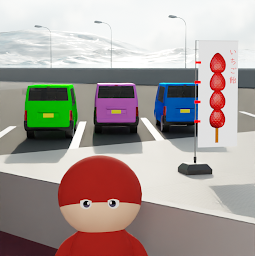


EscapeSA is a Adventure application developed by KYO-ON, but with the best Android emulator-LDPlayer, you can download and play EscapeSA on your computer.
Running EscapeSA on your computer allows you to browse clearly on a large screen, and controlling the application with a mouse and keyboard is much faster than using touchscreen, all while never having to worry about device battery issues.
With multi-instance and synchronization features, you can even run multiple applications and accounts on your PC.
And file sharing makes sharing images, videos, and files incredibly easy.
Download EscapeSA and run it on your PC. Enjoy the large screen and high-definition quality on your PC!
Escape from the service area![Extra game]
Searching for something in the service area at night!
[Features]
・Hint
・Answer
・Screenshot function
・Auto save
[How to play]
・Tap to check the place you are interested in.
Tap the arrows to move the screen.
Tap an item to get it.
Tap an item in the item box to select it. Double-tap an item to enlarge it.
You can change or combine items by using another item on the item that is zoomed in.
To use an item, tap the place where you want to use it while it is selected.
【効果音・BGM】
・OtoLogic
(https://otologic.jp)
・Springin’Sound Stock
(https://www.springin.org/sound-stock/)
・効果音ラボ
(https://soundeffect-lab.info/)
・効果音小森
(https://taira-komori.jpn.org/)
・DOVA-SYNDROME
「優しい呼吸で(Breath,tenderly)」蒲鉾さちこ
(https://dova-s.jp/bgm/play16495.html)
・DOVA-SYNDROME
「せせらぎに耳を澄まして」ゆうきわたる
(https://dova-s.jp/bgm/play16495.html)
・DOVA-SYNDROME
「beginning」のる
(https://dova-s.jp/bgm/play16495.html)
【食品画像】
・SOZAIYA-SAN
(https://sozaiya-san.jp/)







