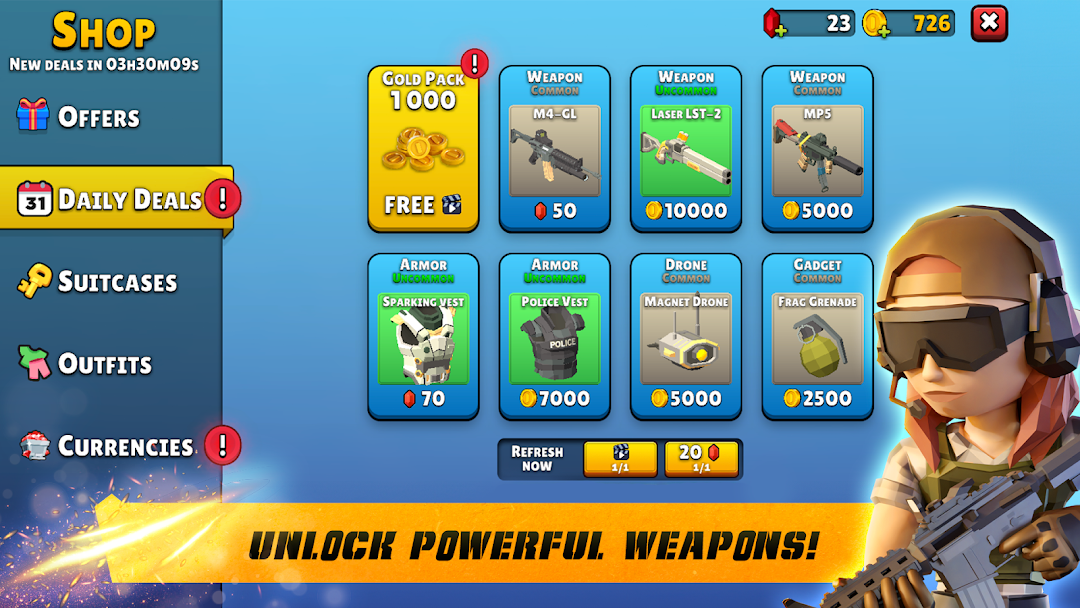
Exfil: Loot & Extract is a Action game developed by Kwalee Ltd, and LDPlayer is the best platform for playing Exfil: Loot & Extract on PC, offering powerful features to immerse you in the game.
When playing Exfil: Loot & Extract on computer, you can adjust frame rate settings for smooth gameplay and stunning visuals.
LDPlayer also provides pre-configured keyboard mapping for convenient control of the entire game. Continuous optimization of keyboard mapping enhances key sensitivity and skill accuracy. Additionally, LDPlayer offers special buttons like shoot, hide mouse, and continuous key press for an enhanced gaming experience.
If you prefer using a gamepad, the automatic gamepad detection allows you to customize controls with just a few clicks, enabling you to freely maneuver your hero. Start downloading and playing Exfil: Loot & Extract on your computer now!
Welcome to Exfil, the ultimate extraction shooter where every mission is a critical journey of survival and intense adrenaline.Embark on high-stakes ops, shoot and loot your way through real multiplayer battles, and defeat armed heists to extract valuable treasures. Your equipment is your lifeline—fall in combat, and you'll lose everything. Death isn’t just a setback here; it’s a game-changer.
Strategize wisely, choose your missions carefully, and unleash hellfire as you face real opponents. Thrive under pressure, execute critical strikes, and dominate the battlefield. In Exfil, success demands precision, teamwork, and nerves of steel.
Join forces with friends or challenge rival squads online. Are you prepared to face the ultimate extraction shooter challenge and become a true combat master?
Key Features:
- Team Shooting: Engage in critical ops and team-based shootouts.
- Combat Master: Master modern strike techniques and become a combat master.
- Looter Shooter: Enjoy the thrill of looting games with a high-stakes twist.
- Extraction Shooter: Aim, fire, and extract to win.
- Critical Strike:Execute critical strikes against your enemies to secure your loot.
- Battleops: Engage in tactical battle operations.
- Masked Forces: Battle against masked forces in insurgency missions.
- Hellfire: Unleash hellfire on your enemies and break through their defenses.
- Real Multiplayer: Experience the excitement of real-time multiplayer battles.
- Social Play: Team up with friends to strategize and dominate the battlefield.