

NextGP | Calendar F1 MotoGP … is a Sports game developed by Jscti. LDPlayer is the best platform for playing NextGP | Calendar F1 MotoGP … on Windows PC, offering powerful features to enhance your immersive experience in NextGP | Calendar F1 MotoGP ….
When playing NextGP | Calendar F1 MotoGP … on your computer, the larger screen and more powerful graphics performance enable you to enjoy clearer and smoother game visuals, enhancing the visual experience of the game.
The operation of peripherals such as gamepads is emulated to better mimic the feel of real sports, providing more precise control and richer operation options.
Furthermore, if you wish to execute a series of continuous key combinations, the one-click macro feature will be the functionality you've been dreaming of, allowing you to effortlessly stay one step ahead with one-touch operation. Start downloading and playing NextGP | Calendar F1 MotoGP … on your computer now!
Minimalist & add-free app to show and get alerted on multiple racing motorsports upcoming events (season 2025 and next) and their scheduled date and time.This app has a primary goal in mind : don't ever miss a race event.
Supports 15 racing motorsports :
- Formula 1
- Formula 1 Academy
- Formula 2
- Formula 3
- Formula E
- NASCAR Cup series
- NASCAR XFinity series
- NASCAR Truck series
- WEC (World Endurance Championship)
- WRC (World Rally Championship)
- Indycar
- SuperBike
- Moto2
- Moto3
- MotoGP
Main features :
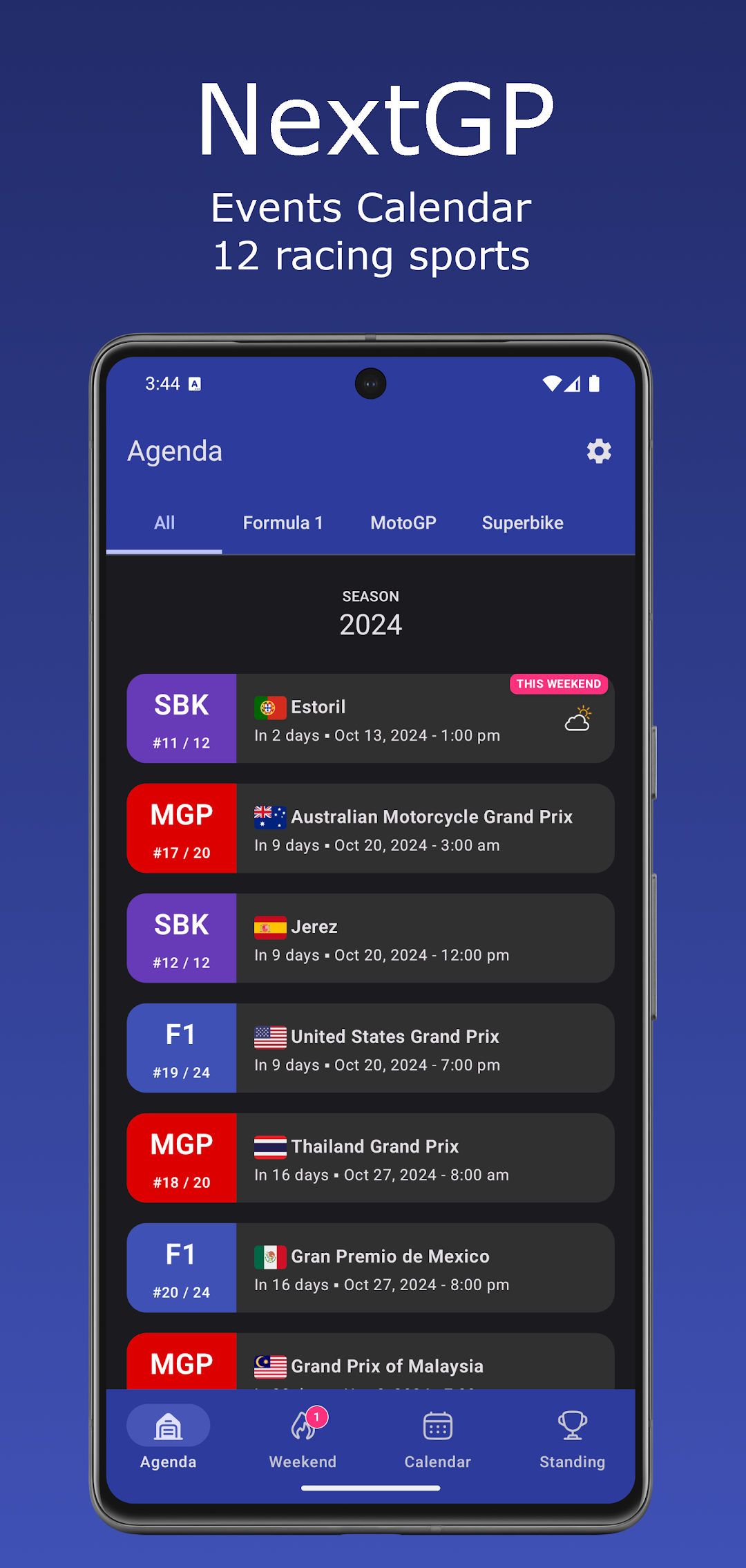
- Agenda: List upcoming races and all its scheduled events with detailed informations (date, time, tv channel, weather & more)
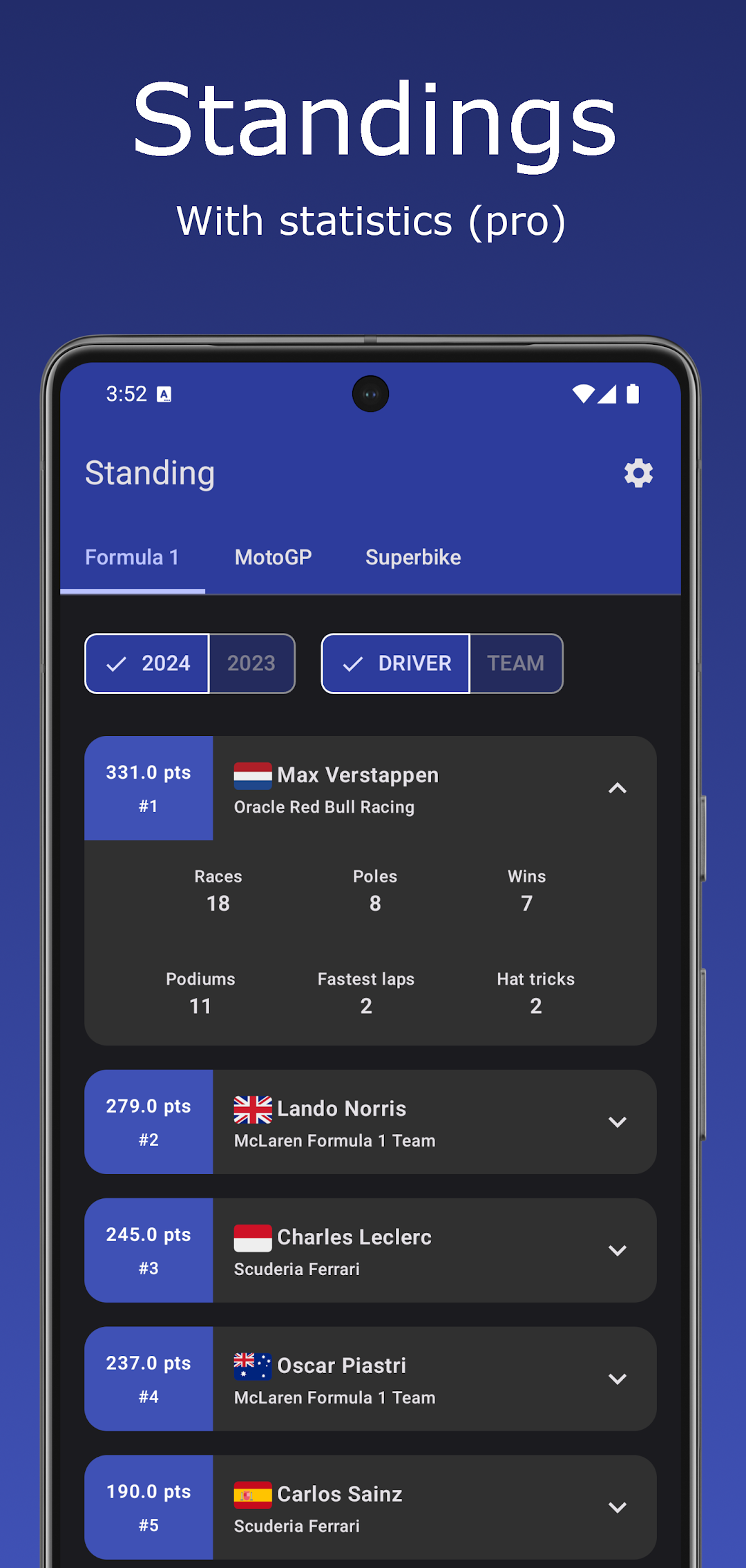
- Standings (pro only) : Drivers & teams standings with statistics
- Session results (pro only)
- Notifications / reminders : Get notified before any race event (Practice, Qualifying, Race)
- Widgets : resizable & responsive widgets.
Detailed features :
- 15 sport modes : enable only the ones you like : Formula One, F1 Academy, F2, F3, WEC, Indy Car, Nascar cup / truck / xfinity series, Rally WRC, Formula E, Superbike, Moto 2, Moto 3, Moto GP
- Planning of upcoming races, filterable by sport, grouped by season
- Race details with schedule for all events (Practice, Qualifying, Race)
- Weekend view: Multisport daily schedule
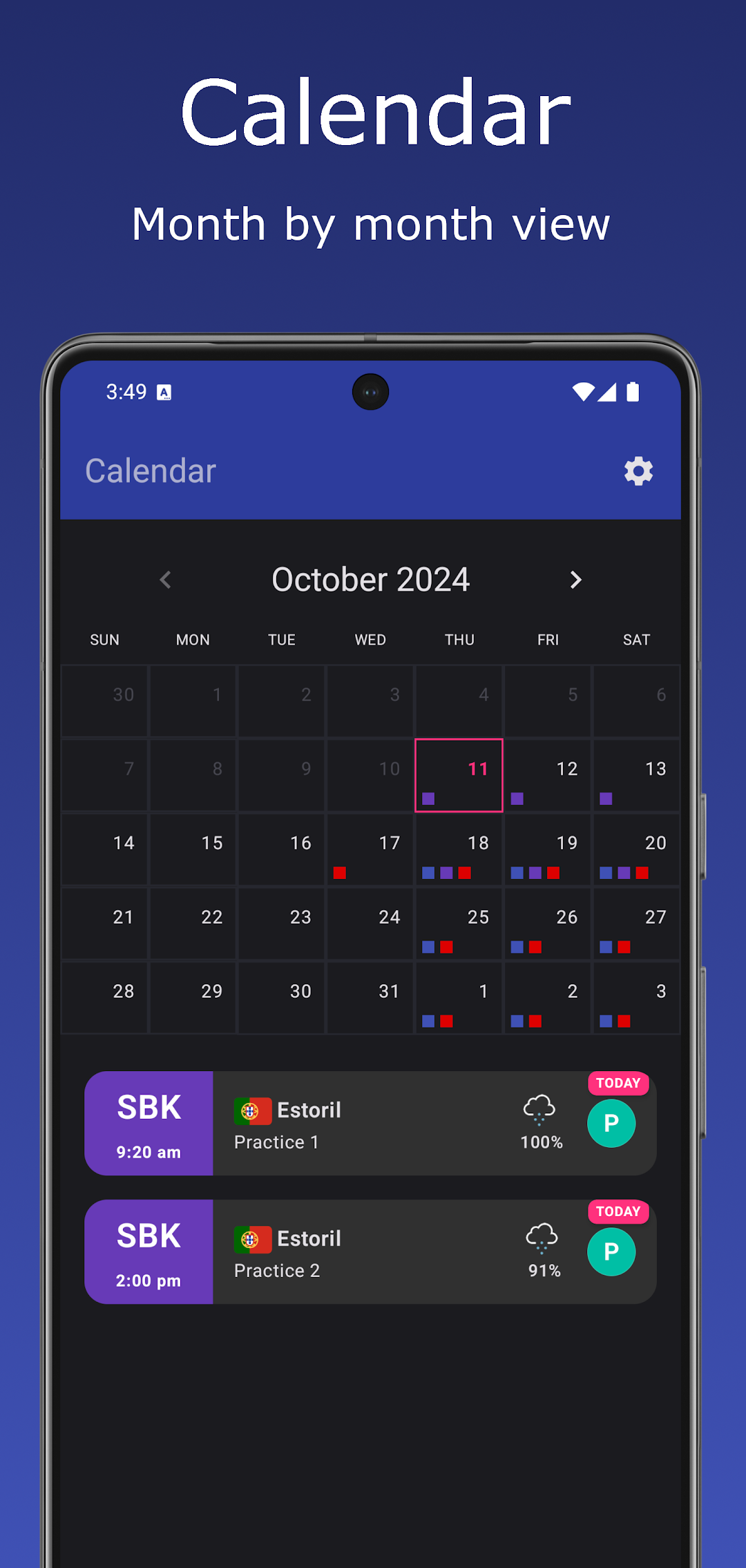
- Calendar view: Multisport monthly schedule
- Standings view (pro only) : leaderboard / ranking of current and last season with statistics when available : poles, races, wins, podiums, hatTricks, fastestLaps
- FR/BE/CH only: TV channels that broadcast each events
- Event weather, night race indicator, user-location/track timezone switch
- Notifications / reminders : you can receive one (or multiple) notification before any event.
- Full Offline support + Auto refresh from network in background
- Dark mode theme support & Dynamic color theme Android 12+
- Fully customisable in the settings screen
- Widgets : Configurable, responsive, resizable
- Languages: English, French, Spanish, German, Italian, Portuguese
Donation / Pro mode exclusive features :
- Standings screen
- Past / finished events results : drivers ranking, times, laps for each session
- Settings : Sport color change
- Settings : Sport notification settings quick copy/duplicate
Huawei Users :
In order to properly receive event notifications, you must add this application as a "Protected App" on your device to disable battery optimisations.
Permissions :
- view network connections (android.permission.ACCESS_NETWORK_STATE) : needed by Android/WorkManager to schedule asynchronous tasks (auto fetch fresh data from api)
- full network access (android.permission.INTERNET) : to fetch the data through the internet (API)
- run at startup (android.permission.RECEIVE_BOOT_COMPLETED) : to register background workers as soon as the smartphone boots : auto fetch new data and init alarms listener
- control vibration (android.permission.VIBRATE) : to vibrate on notification
- prevent device from sleeping (android.permission.SCHEDULE_EXACT_ALARM) : The notifications/alarms need some precision to trigger at the right time. Without this, the alarms could be received minutes/hours after an events depending on the phone use. I didn't notice any noticeable battery impact.
Privacy :
See privacy notice link for details but basically : no personal data are read/stored/sended/shared. Only data captured are debug/technical informations for example when a crash/exception happens.
Thanks for all the feedbacks. I'm always open to suggestions (email).
Agenda, 2026 2025 2024 motorsport race calendar, Notification, standings, ranking, leaderboard, alerts, F1, F1 Academy, Formula One Academy, Formula One, Formula 1, MotoGP, Moto GP, Moto2, Moto 2, Moto3, Moto 3, F2, Formula 2, F3, Formula 3, Formula E, FE, WEC, WRC, Rally, Indycar, Superbike, SBK, Motorsport, Racing sport