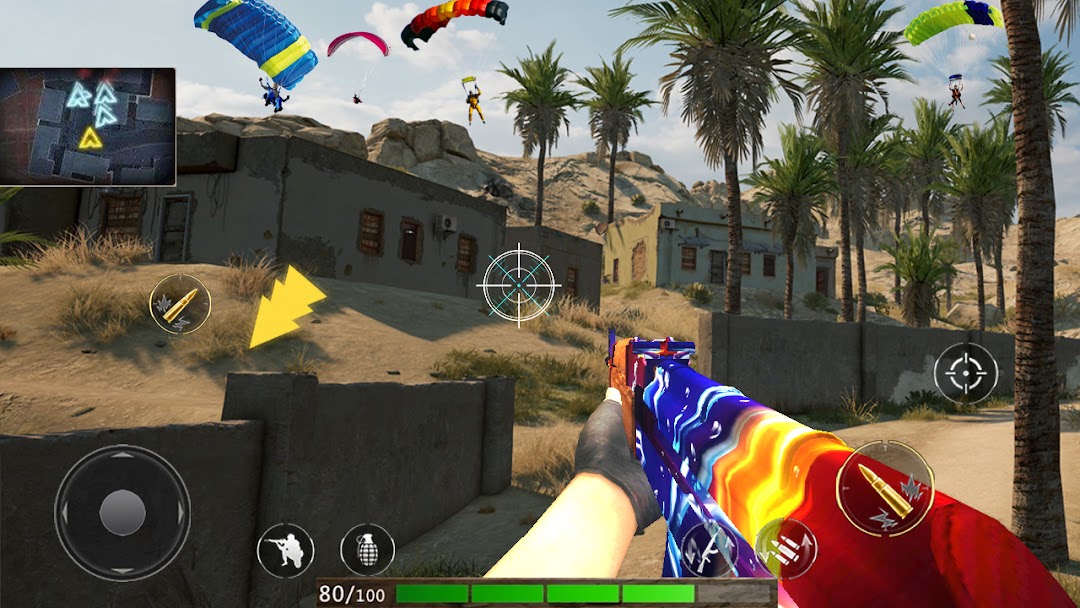
FPS Gun Shooter: Offline Game is a Role Playing game developed by FANGENT, and LDPlayer is the best platform for playing FPS Gun Shooter: Offline Game on Windows PC, offering powerful features for an immersive experience.
When playing FPS Gun Shooter: Offline Game on PC, as a new player looking to start with a fresh account, the multi-instance and sync features are extremely useful for rerolls. You can use them to run multiple instances and begin the synchronization process. Bind your account until you draw the desired heroes.
In addition, operation recorder is great for games that require you to level up and complete tasks! Run the sync and record your actions, then repeat the main instance's actions in real-time. By doing so, you can run 2 or more accounts simultaneously. You can always get the heroes you want before others by faster rerolls and more efficient summoning! Start downloading and playing FPS Gun Shooter: Offline Game on your computer now!
Welcome to the world of FPS Gun Shooter.Are you a shooting game commando?
Are you looking for an offline shooting game?
Do you have the spark to challenge all your enemies and become the best gun shooter? Then this fire free action game is designed for you.
This shooting game is our best free action game where you play as a gun shooter to go through all the missions. Deploy bombs, kill bad enemies, and win wars against your enemies by providing ready, prompt, and sustained land dominance through your shooting experience across the full spectrum of conflict as part of the Joint Force.
In this kind of shooting game, you will have to achieve many targets of fps missions. These gun shooter tasks will keep on getting harder and harder and the number of enemies will be increasing at every level so take your action gun and get yourself ready to be a real commando in tactical battles. This offline gun game is mostly designed based on a real fps shooting game experience.
This New Free FPS Gun Shooter is the most action-packed FPS shooting game with counter-attack under cover fire. This player of the unknown free battleground is our best free firing with real-time 3d shooter combat of commandos and military forces against enemy soldiers and troops. We all know that it is the best time for a crossfire counterattack mission with a bullet-time shooting force and fire free shooter.
Campaign Mode. Gun Shooting offline game
In this action-packed gun game, just aim and shoot the enemy to be a gun game expert. You are going to be the zombie shooter and kill the deadly zombies. Get ready to play the action games and be a pro in our free games. You need to have a very good strategy to complete the secret mission in this new game. As the trend of gun shooting games is getting over we have to come up with our new gun game this year. You can play shooting games offline so you can also be able to play them without internet connectivity.
Free Gun Shooter Offline Game Features:
Ultra HD graphics
Best FPS Shooting Controls.
Tactical military missions.
Realistic 3D graphics of the gun game.
Smooth Gameplay.
Smart and intelligent enemy AI system
Enjoy our shooting game with your friends and family.
Disclaimer:
Please keep in mind that while “FPS Gun Shooter Offline Game” is free to play, some things can be purchased with real money.
For Feedback & Contact mail us at d4danishumar@gmail.com