Home/

Games/

Role Playing/

Frontline Hero: Epic war games

Frontline Hero: Epic war games
4.0100+

Frontline Hero: Epic war games

Merge, upgrade your hero and build an epic vanguard squad. The Titan is coming!

Play on PC with LDPlayer
recommend
Fansipan Limited
How to Download&Play Frontline Hero: Epic war games on PC?
Last Updated: 2023-08-18
com.frontline.hero.epic.war.game
Share:
  • Overview

  • FAQ

  • Game Guides

Use LDPlayer to Play Frontline Hero: Epic war games on PC

Frontline Hero: Epic war games Overview

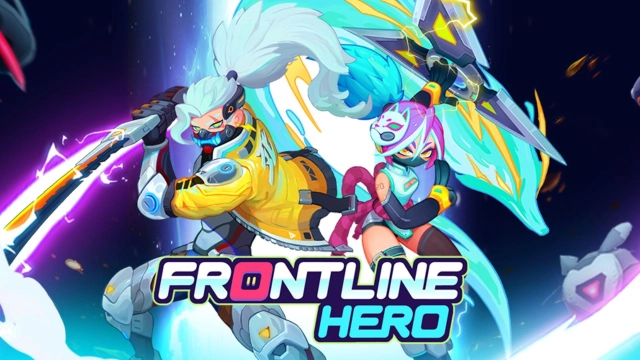
"Frontline Hero: Epic war games" invites you to lead the charge against the impending Titan invasion on our planet. Armed with Merge Tech, your heroes are ready to defend against the onslaught. Immerse yourself in an epic futuristic tower defense game that combines action, strategy, and captivating heroes. This tower defense RPG hybrid merges gacha mechanics with vanguard tactics to create an unforgettable adventure in a war-torn, fantasy world.


Frontline Hero: Epic war games Features:

  • Tower Defense Battles: Strategically defend your base against relentless enemies in a futuristic landscape torn by war.
  • Gacha System: Collect a diverse range of heroes, each with their own unique powers and stories, to become the ultimate guardians.
  • Merge Tech: Utilize the merge hero function to level up and strengthen your characters in real-time battles.
  • Immersive Futuristic World: Immerse yourself in a captivating futuristic setting brought to life by stunning art and vibrant visuals.
  • Engaging RPG Elements: Customize and level up your captain and heroes, discovering synergies to dominate the battlefield.

Play Frontline Hero: Epic war games on PC:

  • Enhanced Strategy and Precision: Play "Frontline Hero: Epic war games" on your PC using an Android emulator for superior control and strategic gameplay.
  • Optimized Graphics: Experience the captivating futuristic world in higher detail on a larger PC screen.
  • Efficient Hero Management: Manage your heroes and captain more efficiently using PC controls, ensuring effective deployment in battles.
  • Strategic Planning: Utilize the larger screen space for better tactical planning and decision-making during tower defense battles.
  • Fluid Gameplay: Enjoy seamless gameplay with reduced risk of device limitations or interruptions on your PC.
  • Immersive Experience: Immerse yourself fully in the captivating fantasy world of "Frontline Hero" on a PC emulator.
Open up

Screenshots and Videos of Frontline Hero: Epic war games PC

Experience a wider field of view, exquisite game graphics, and cooler combat skills and effects by downloading and playing Frontline Hero: Epic war games on PC with LDPlayer. Enjoy the ultimate gaming experience with LDPlayer.

Why Play Frontline Hero: Epic war games on PC with LDPlayer?

LDPlayer offers unique emulator features including multi-instance support, macros, operation recorder, and other functions not available on mobile devices.

Multi-Instance & Sync

Remote Control

Operation Recorder

Multi-Instance & SyncRemote ControlOperation Recorder

Effortlessly clone multiple instances and initiate synchronization until you draw the desired hero before binding your account, enhancing efficiency in rerolls in Frontline Hero: Epic war games.

  • High FPS

    With support for high FPS, Frontline Hero: Epic war games's game graphics are smoother, and actions are more seamless, enhancing the visual experience and immersion of playing Frontline Hero: Epic war games.
  • Keyboard & Mouse

    In Frontline Hero: Epic war games, players frequently perform actions such as character movement, skill selection, and combat, where keyboard and mouse offer more convenient and responsive operation.

How to Download&Play Frontline Hero: Epic war games on PC?

  • 1

    Download and install LDPlayer on your computer

  • 2

    Locate the Play Store in LDPlayer's system apps, launch it, and sign in to your Google account

  • 3

    Enter "Frontline Hero: Epic war games" into the search bar and search for it

  • 4

    Choose and install Frontline Hero: Epic war games from the search results

  • 5

    Once the download and installation are complete, return to the LDPlayer home screen

  • 6

    Click on the game icon on the LDPlayer home screen to start enjoying the exciting game