
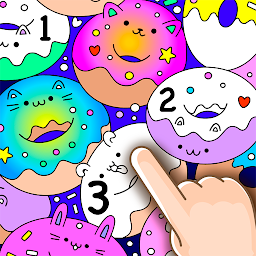


Funny Doodle Coloring Book is a Board application developed by VladMadGames, but with the best Android emulator-LDPlayer, you can download and play Funny Doodle Coloring Book on your computer.
Running Funny Doodle Coloring Book on your computer allows you to browse clearly on a large screen, and controlling the application with a mouse and keyboard is much faster than using touchscreen, all while never having to worry about device battery issues.
With multi-instance and synchronization features, you can even run multiple applications and accounts on your PC.
And file sharing makes sharing images, videos, and files incredibly easy.
Download Funny Doodle Coloring Book and run it on your PC. Enjoy the large screen and high-definition quality on your PC!
We tried to make this doodle coloring pages by numbers as simple as possible, so that you'll have a great time painting original pictures! Creative doodle game will help your child learn more about colors and coloring itself. You can find so many familiar characters in this mysterious fantasy world, such as wild animals, sea animals, lovely hearts and tasty food! Feel free to use your favorite shiny colors so that you can make this colorful world brighter! Look, your painting made the pictures animated!Features of Doodle Coloring Book by numbers:
- More than 100+ amazing funny images!
- Special coloring pages of glitter colors. Look how your magical pictures will come alive while you paint them!
- Use two fingers to zoom in and zoom out a picture;
- Save all your work in the app’s gallery;
- Share doodle images with your friends (Facebook, Instagram, e-mail and other applications);
- Painting with relaxing background music helps you to relieve stress!
- Unlock all magical pictures and get unlimited in the premium mode!
Doodle coloring book can help your children to learn the skill of patience. It allows your kid to be relaxed and comfortable while creating a piece of art. Doodle coloring pages by numbers are great relaxing games. Children can color shapes and figures anyway they like.
Doodle Coloring Book is very easy to use:
- Download the Doodle Coloring Book;
- Open the game and select one coloring page to paint;
- Color and recolor drawings with original pallets and enjoy calming music;
- Zoom in, zoom out to paint small details of a game.
- Unlock the locked funny pictures by watching ads or remove all ads from the app in the subscription offer.
- Share your cool paintings with your friends and family on Facebook, Instagram, Twitter, WhatsApp and other social networks!
It is very important for us that all users can enjoy our painting game, please, share your feedbacks: support@vlasgames.com
Painting has never been so easy and funny. It’s time to get this app Doodle Coloring Book by numbers and have a great time together with your child!
Recommend the app to others and play together!
Terms of Use: https://vladmadgames.com/terms.html
Privacy Policy: https://vladmadgames.com/privacy.html







