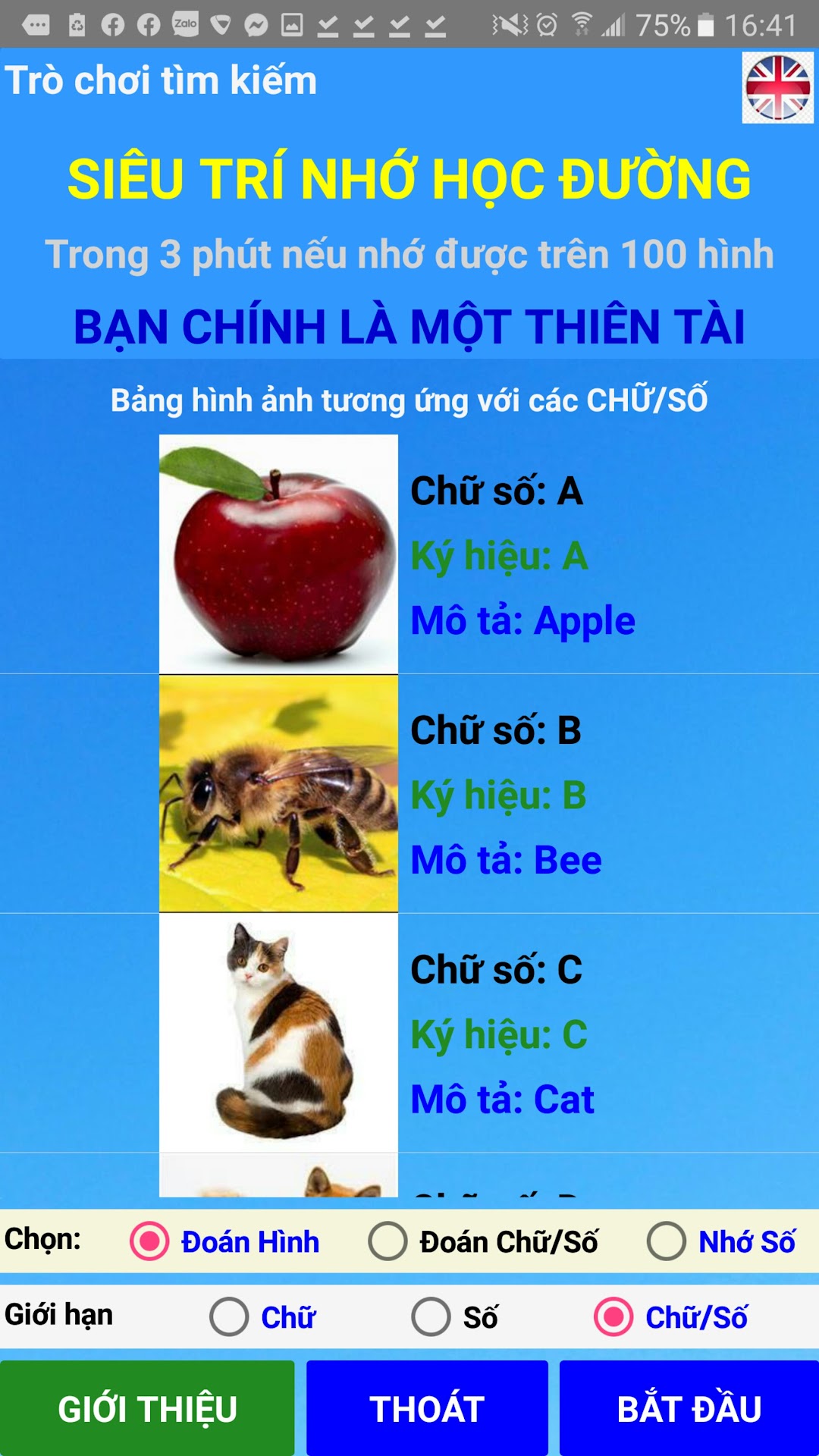
Luyện Trí Nhớ -Memory Training is a Educational application developed by VuVanTac, but with the best Android emulator-LDPlayer, you can download and play Luyện Trí Nhớ -Memory Training on your computer.
Running Luyện Trí Nhớ -Memory Training on your computer allows you to browse clearly on a large screen, and controlling the application with a mouse and keyboard is much faster than using touchscreen, all while never having to worry about device battery issues.
With multi-instance and synchronization features, you can even run multiple applications and accounts on your PC.
And file sharing makes sharing images, videos, and files incredibly easy.
Download Luyện Trí Nhớ -Memory Training and run it on your PC. Enjoy the large screen and high-definition quality on your PC!
The Search Super School Memory Game aims to awaken the Boundless Powers that are latent in each person. This can be considered as a secret to training and developing Super Memory Power as some Vietnamese Super Memory talents have been mentioned a lot recently on television, being able to add, subtract, multiply, and divide faster. computer. Or can remember a string of numbers hundreds of numbers, even thousands of numbers in a few minutes.The game is built to help players practice Quick Memory - Long Memorize the images corresponding to 26 letters and numbers from 0 to 99. The game was built from inspiration when watching the program Good Parents talent, together with children to create a future taught by teacher Nguyen Phung Phong, the first world record holder of Super Memory in Vietnam, to help Vietnamese people have more and more Hien Talents.
Scientists have discovered that: The human brain has 2 hemispheres, left and right, with different functions. The left hemisphere of the brain specializes in numbers and letters while the right hemisphere specializes in images, colors, and imagination. Therefore, Encoding Numbers and Letters into Images will help both hemispheres of the brain to be active at the same time when we are reading or working. And when each number or letter is combined with an IMAGE, the human brain remembers Fast and Remembers Long. This will greatly increase learning and working efficiency.
This game is suitable for all ages, from children to the elderly, especially children.
Let your children experience the game of Memory Training to awaken the boundless potentials of your children, and introduce them to those around you. Maybe one day your child will become a Super Memory for School and Vietnamese people have more and more Talents!