Home/

Games/

Educational/

Giai Cuu Cau Do Vui Dan Gian

Giai Cuu Cau Do Vui Dan Gian
0.0100+

Giai Cuu Cau Do Vui Dan Gian

Do vui tri tue, bat chu thu vi, thu thach IQ, nang cao tu duy, phat huy nao bo

Play on PC with LDPlayer
recommend
Aregames
How to Download&Play Giai Cuu Cau Do Vui Dan Gian on PC?
Last Updated: 2024-05-22
com.aregames.hangmanriddle
Share:
  • Overview

  • FAQ

Use LDPlayer to Play Giai Cuu Cau Do Vui Dan Gian on PC

Giai Cuu Cau Do Vui Dan Gian is a Educational application developed by Aregames, but with the best Android emulator-LDPlayer, you can download and play Giai Cuu Cau Do Vui Dan Gian on your computer.

Running Giai Cuu Cau Do Vui Dan Gian on your computer allows you to browse clearly on a large screen, and controlling the application with a mouse and keyboard is much faster than using touchscreen, all while never having to worry about device battery issues.

With multi-instance and synchronization features, you can even run multiple applications and accounts on your PC.

And file sharing makes sharing images, videos, and files incredibly easy.

Download Giai Cuu Cau Do Vui Dan Gian and run it on your PC. Enjoy the large screen and high-definition quality on your PC!

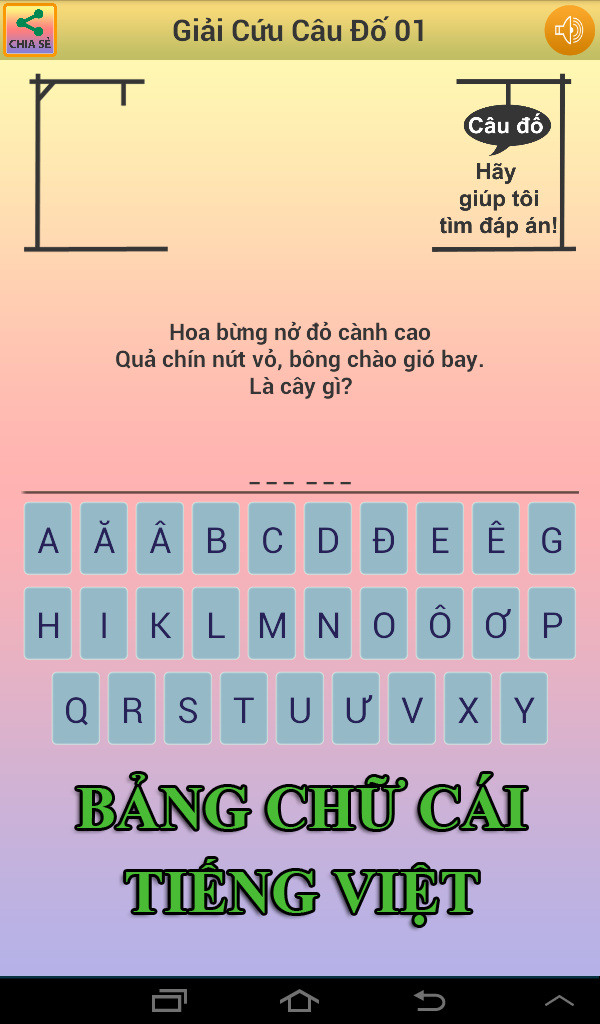
Giải Cứu Câu Đố là trò chơi đầu tiên & duy nhất về Câu đố dân gian Việt Nam sử dụng bảng chữ cái Tiếng Việt, đồng thời kế thừa & phát triển cách chơi của Hangman.

Trò chơi giúp bạn có thêm kiến thức trên nhiều lĩnh vực của đời sống từ các loài động vật, cây cối, hoa quả... tới địa danh, lịch sử Việt Nam. Đồng thời đem đến cho bạn những phút giây thư giãn, sảng khoái. Kho dữ liệu lên tới hàng ngàn câu đố, thỏa sức cho bạn rèn luyện, nâng cao IQ.

Tiêu chí khi lựa chọn các câu đố trong trò chơi Giải Cứu Câu Đố là giàu chất văn, đậm chất thơ, phong phú về ngôn từ, đa dạng về thể loại, trong sáng về đáp án, rõ ràng về câu hỏi, tránh dung tục! Mang đậm bản sắc văn hóa dân gian, nhằm tôn vinh, giữ gìn cái hay, nét đẹp của Câu đố dân gian Việt Nam.

Chơi theo phong cách của trò Hangman nổi tiếng, bạn sẽ được trải nghiệm một cách chơi mới mẻ, mang lại một luồng gió mới cho câu đố dân gian. Bạn sẽ thấy thích thú và không hề nhàm chán khi chơi!

Trò chơi hoàn toàn miễn phí và không có bất kỳ yêu cầu gì đặc biệt về quyền truy cập thiết bị của bạn!

Rất mong nhận được sự ủng hộ và góp ý của các bạn!

Aregames chúc các bạn có thật nhiều niềm vui & kiến thức bổ ích!
Open up

Screenshots and Videos of Giai Cuu Cau Do Vui Dan Gian PC

Experience a wider field of view, exquisite game graphics, and cooler combat skills and effects by downloading and playing Giai Cuu Cau Do Vui Dan Gian on PC with LDPlayer. Enjoy the ultimate gaming experience with LDPlayer.

Why Play Giai Cuu Cau Do Vui Dan Gian on PC with LDPlayer?

LDPlayer offers unique emulator features including multi-instance support, macros, operation recorder, and other functions not available on mobile devices.

Multi-Instance & Sync

Remote Control

Custom Controls

Multi-Instance & SyncRemote ControlCustom Controls

Effortlessly clone multiple instances and initiate synchronization until you draw the desired hero before binding your account, enhancing efficiency in rerolls in Giai Cuu Cau Do Vui Dan Gian.

  • High FPS

    With support for high FPS, Giai Cuu Cau Do Vui Dan Gian's game graphics are smoother, and actions are more seamless, enhancing the visual experience and immersion of playing Giai Cuu Cau Do Vui Dan Gian.
  • Video Recorder

    Easily capture your performance and gameplay process in Giai Cuu Cau Do Vui Dan Gian, aiding in learning and improving driving techniques, or sharing gaming experiences and achievements with other players.

How to Download&Play Giai Cuu Cau Do Vui Dan Gian on PC?

  • 1

    Download and install LDPlayer on your computer

  • 2

    Locate the Play Store in LDPlayer's system apps, launch it, and sign in to your Google account

  • 3

    Enter "Giai Cuu Cau Do Vui Dan Gian" into the search bar and search for it

  • 4

    Choose and install Giai Cuu Cau Do Vui Dan Gian from the search results

  • 5

    Once the download and installation are complete, return to the LDPlayer home screen

  • 6

    Click on the game icon on the LDPlayer home screen to start enjoying the exciting game