
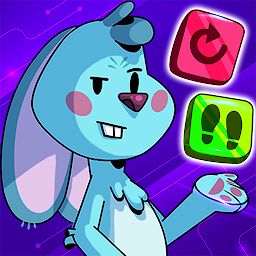


Coding Games Kids: Glitch Hero is a Educational application developed by Didactoons, but with the best Android emulator-LDPlayer, you can download and play Coding Games Kids: Glitch Hero on your computer.
Running Coding Games Kids: Glitch Hero on your computer allows you to browse clearly on a large screen, and controlling the application with a mouse and keyboard is much faster than using touchscreen, all while never having to worry about device battery issues.
With multi-instance and synchronization features, you can even run multiple applications and accounts on your PC.
And file sharing makes sharing images, videos, and files incredibly easy.
Download Coding Games Kids: Glitch Hero and run it on your PC. Enjoy the large screen and high-definition quality on your PC!
Coding for Kids: Glitch Hero is an educational STEM adventure that sparks children’s curiosity for learning coding, where every step is a chance to learn how to code.Ada, a brave and clever girl, ventures into Code Land—a virtual world full of glitches and mysteries—to rescue her father and fellow scientists. With your programming skills, you can help her save CodeLand and uncover its hidden secrets. Are you ready to take on the challenge?
A Coding Adventure for kids
Glitch Hero is an adventure for all audiences. Children of all ages will start coding while facing exciting challenges. Join Ada on a mission packed with educational games where kids not only have fun but also gain coding and logical thinking skills. With our children’s games, fun and learning go hand in hand.
Discover Virtual Worlds and Develop STEM Skills
• Dive into Code Land with 3 unique virtual worlds, each filled with programming challenges and puzzles.
• Over 50 levels of educational games and puzzles designed to teach kids basic coding concepts as they explore.
• Use the hammer.exe to fix Code Land, defeat enemies, or unlock paths.
Code and Solve Fun Puzzles
In Glitch Hero, kids don’t just play—they learn coding by solving puzzles designed to teach loops, conditionals, and other key concepts. Each level ensures that educational games remain fun, challenging, and action-packed. With Glitch Hero, children’s games become a tool for your kids to learn problem-solving and develop creativity—all while having fun!
Family-Friendly Games for Kids
Glitch Hero provides a safe, complete STEM experience with no ads, where kids can learn to code while they play. This app is an unforgettable experience for children who want to combine fun and learning games in a secure and educational environment.
Key Features:
• Adventure and action: Combine the thrill of adventure games with the learning of coding.
• Educational puzzles: Solve coding challenges using concepts like loops, conditionals, and functions.
• Coding challenges and enemies: Face tough bosses and debug the glitches in virtual worlds.
• Safe environment: All games are designed for kids to play and learn in a secure space.
Download the game now and join Ada on this unforgettable coding adventure to save Code Land!







