

Gold Merge is a Casual game developed by Tuntas Bangsa Group. LDPlayer is the best platform for playing Gold Merge on Windows PC, offering powerful features to enhance your immersive experience in Gold Merge.
When playing Gold Merge on your computer, if you find repetitive actions or tasks tedious and time-consuming, fret not! Macro can alleviate your concerns. Simply record your actions with a click of the screen recording feature and let macros take care of the rest. Macros automate your operations, allowing you to effortlessly conquer the game with minimal effort! Start downloading and playing Gold Merge on your computer now!
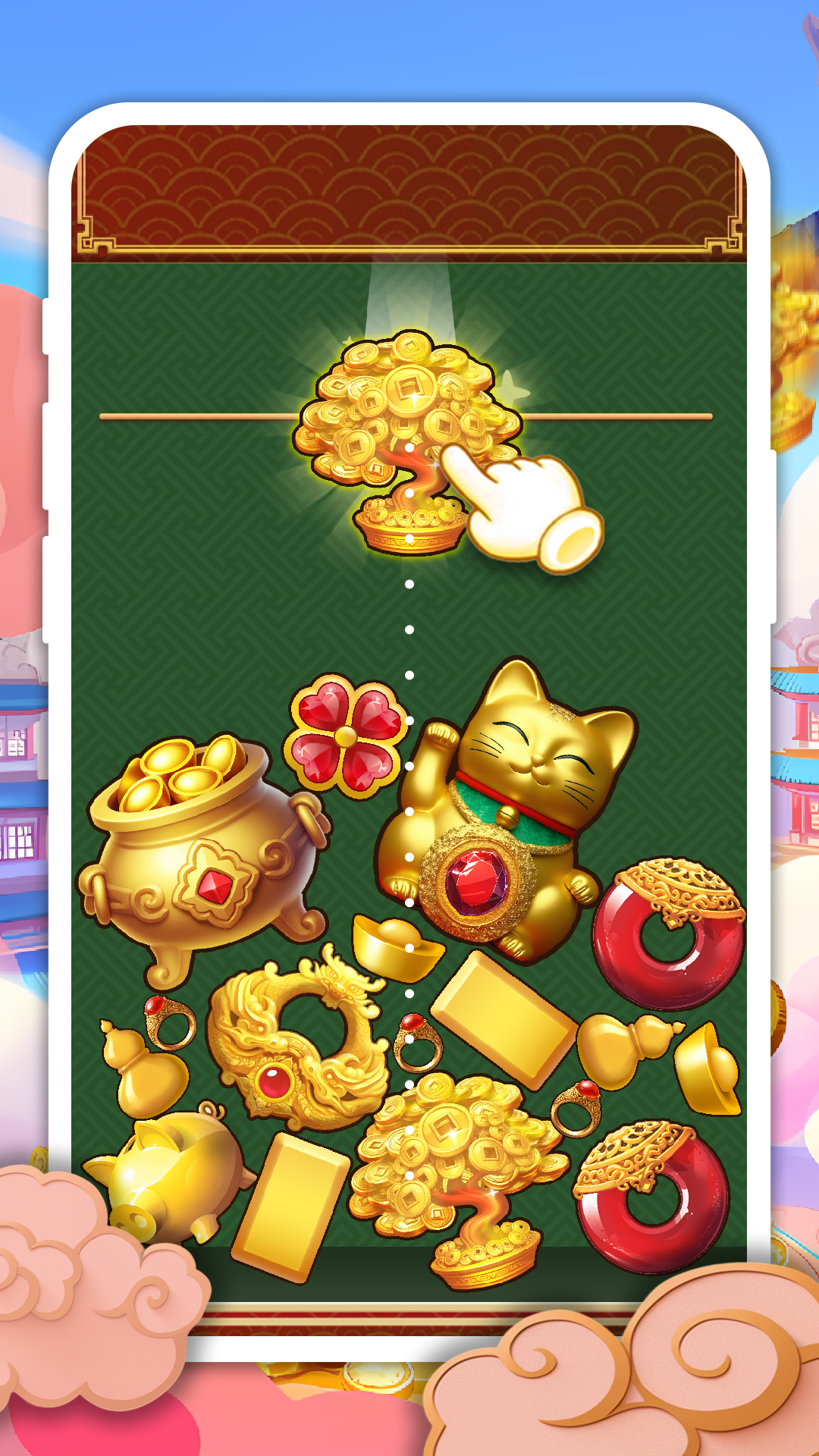
"Are you ready to be swept away by the all - consuming charm of "Gold Merge"? This isn't just a puzzle game; it's an immersive experience that's so addictive and entertaining, you'll lose track of time while glued to your screen.As soon as you hit start, a non - stop shower of different gold - themed tokens tumbles down from the top of your display. This is where the real excitement kicks in. You're not just dropping pieces; you're strategizing like a mastermind. Every move requires careful calculation, as you figure out the best spots to place each gold item.
The game's core mechanic is deceptively simple but totally captivating. When two gold tokens of the same type meet, they meld together in a seamless fusion. It's like watching a choreographed performance of gold, where every choice you make can change the game's entire trajectory.
With each successful merge, you'll witness a transformation. The gold tokens don't just get bigger; they become more elaborate and impressive, evolving right before your eyes. This merging process is not only a treat for your eyes but also a great workout for your brain. It keeps you engaged, constantly thinking about your next move.
The ultimate goal? To painstakingly combine those tiny gold pieces, one by one, until you achieve the crowning glory: a huge, magnificent gold creation. It's a journey filled with anticipation and satisfaction at every step.
What makes "Gold Merge" truly special is its accessibility. Whether you're a gaming newbie or a seasoned pro, you can jump right in and understand the basics in no time. But don't be fooled by its easy start. To truly master this game, you'll need to be quick - thinking, have a sharp sense of spatial awareness, and be able to plan several moves ahead.
The gameplay is full of unexpected twists. Just when you think you've got the hang of it, a new challenge will pop up, keeping you on your toes. This ever - changing nature ensures that boredom is never an option. Whether you're stuck in traffic or winding down after a long day, "Gold Merge" offers the perfect escape.
So, why wait any longer? Step up to the challenge of "Gold Merge" and unlock a universe teeming with non - stop fun and excitement. Let the gold - merging adventure begin now!"