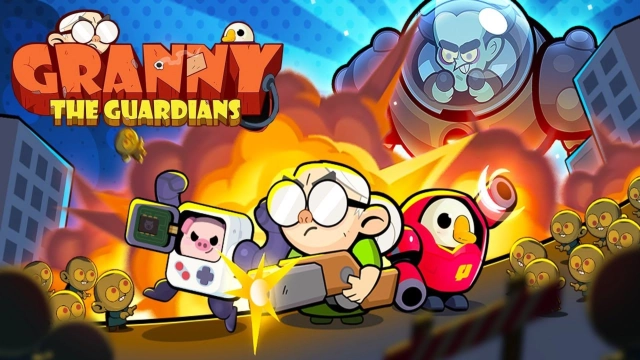
Granny the Guardians is a Casual game developed by Boutique de jeux. LDPlayer is the best platform for playing Granny the Guardians on Windows PC, offering powerful features to enhance your immersive experience in Granny the Guardians.
When playing Granny the Guardians on your computer, if you find repetitive actions or tasks tedious and time-consuming, fret not! Macro can alleviate your concerns. Simply record your actions with a click of the screen recording feature and let macros take care of the rest. Macros automate your operations, allowing you to effortlessly conquer the game with minimal effort! Start downloading and playing Granny the Guardians on your computer now!
Who says grandmas are just for groceries and home cooking?Meet the force standing before you: the undead's worst nightmare in a post-apocalyptic future, the mastermind behind the West Coast's most powerful smuggling ring, and a retired colonel from the Imperial Army's elite synthetic troops!
AKA Super Granny!
No matter if you were an animal, a plant, or a pure AI robot in the old days, the Synthetic Vanguard welcomes you aboard. Together, we inch closer to the endgame of the zombie apocalypse.
Game Highlights
☆ Over 100 Eye-Popping Hero Skills ☆
Fending off the zombie hordes takes more than just smarts, it takes a dash of luck!
Choose from three powerful skills at the end of each battle to up your game!
☆ Skill Synergy that Ignites the Battlefield ☆
Real heroes don't look back at explosions, unless they're just too awesome to ignore!
Heroes can mix and match skills with each other, bringing dynamic and powerful effects to life on the battlefield. That's the strength of skill synergy!
☆ Tetris-Like Strategy ☆
Show off your true prowess now!
Shift and arrange blocks and barriers to keep the zombies at bay and protect our Synthetic Core!
☆ Synthetic Evolution Unleashed ☆
Basic gear won't cut it for the next onslaught!
Level up and evolve your synthetic heroes to unlock flashier looks and more dramatic skill effects!
☆ Endless Entropic Challenge ☆
Warning! You're entering a danger zone, where giant zombies roam free!
Infinite skill mode, activated!
☆ Assemble Your Synthetic Squad ☆
Granny's planning to retire for good after just 999 more missions!
Gather an electric band of synthetic warriors and build your ultimate squad to face the apocalypse!