
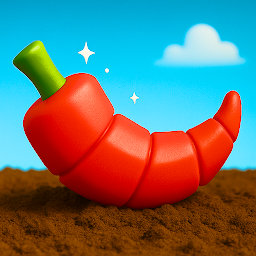


Grow a Garden: Obby Farm Games is a Simulation application developed by Anastasiia Zavhorodnia, but with the best Android emulator-LDPlayer, you can download and play Grow a Garden: Obby Farm Games on your computer.
Running Grow a Garden: Obby Farm Games on your computer allows you to browse clearly on a large screen, and controlling the application with a mouse and keyboard is much faster than using touchscreen, all while never having to worry about device battery issues.
With multi-instance and synchronization features, you can even run multiple applications and accounts on your PC.
And file sharing makes sharing images, videos, and files incredibly easy.
Download Grow a Garden: Obby Farm Games and run it on your PC. Enjoy the large screen and high-definition quality on your PC!
Welcome to grow a garden, obby farm games. Mobile experience that combines the creativity of gardening, the thrill of obby, and the satisfaction of growing your dream farm from the ground up. Dive into a colorful, dynamic world where nature and adventure go hand-in-hand, and discover our farm game available today.In grow a garden, your journey begins with a single patch of soil and a handful of seeds. As you plant and nurture your crops, you'll watch your garden transform into a vibrant landscape filled with flowers, vegetables. But this isn’t just any gardening game, grow a garden takes things to the next level by blending classic farming mechanics with fun, huge plants in obby games that expands your creativity. Unlike traditional farm games, grow a garden: obby farm games weave action and adventure into your farming life. You’ll face daily farm obby games that test your luck and determination, offering coins per kilo of sale. Completing growing obby games is not only thrilling—it’s essential for expanding your garden, upgrading tools, and accessing new areas of the farm simulator world. The more you play, the more you grow, and the more your farm evolves into a lush paradise bursting with life.
What sets grow a garden apart is how it encourages creativity while keeping the gameplay fresh and engaging. You'll encounter different plants as you explore. With every new seed you buy, your skills as a gardener and adventurer are put to the test. No two days are the same, and your dedication to your land directly impacts your success in both farming and obby tasks and trying to grow the biggest plant.
As a rich blend of farm games and farm simulator mechanics, this title gives you the tools and freedom to make your garden truly your own. As you progress, you'll unlock rare seeds and huge plants, that all contribute to your garden's beauty and productivity. But growth doesn't come easy—you'll need to master tricky obby games to grow these huge high-tier plants. Strategy and timing become just as important as planting and harvesting. It's this mix of action and relaxation that keeps players returning to grow a garden again and again.
With each update, grow a garden obby farm games introduces new features, decorations, crops, and obby games, ensuring a fresh and evolving experience for all players. Whether you're in it for the creative gardening, the challenges, or the immersive farm simulator vibes, there's always something new to explore.
So why wait? Jump into grow a garden obby farm games today and see how far your skills can take you. Create the garden of your dreams, tackle daring obby games, and build the most impressive farm the world has ever seen. Every crop you plant and every upgrade you unlock takes you one step closer to becoming the ultimate gardening master. Embrace the adventure, master the land, and let your imagination bloom in the world of grow a garden. With an engaging mix of farm crops for obby games, and the deep management systems of a farm simulator, grow a garden delivers a one-of-a-kind experience that’s perfect for players of all ages. There’s no better way to unwind, compete, and create, so come and grow with us, and let your garden tell your story.







