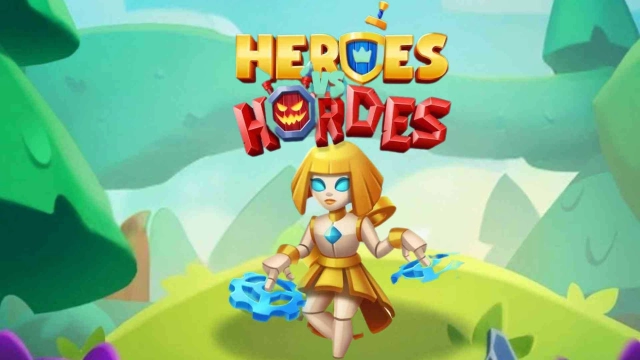
Heroes vs Hordes: Survival RPG is a Adventure application developed by SWIFT GAMES, but with the best Android emulator-LDPlayer, you can download and play Heroes vs Hordes: Survival RPG on your computer.
Running Heroes vs Hordes: Survival RPG on your computer allows you to browse clearly on a large screen, and controlling the application with a mouse and keyboard is much faster than using touchscreen, all while never having to worry about device battery issues.
With multi-instance and synchronization features, you can even run multiple applications and accounts on your PC.
And file sharing makes sharing images, videos, and files incredibly easy.
Download Heroes vs Hordes: Survival RPG and run it on your PC. Enjoy the large screen and high-definition quality on your PC!
Heroes vs. Hordes: Survival RPG is the ultimate roguelite action RPG where heroes battle endless waves of monsters. Enter the world of Midlantica, a horde of monsters threatens to consume everything. Heroes rise from every faction — ⚔️ warriors, 🔮 mages, 🗡️ assassins, and ⚙️ inventors — to fight back and improve the chances of survival. Only your hero, their skill, upgrades, and strategy can hold the darkness at bay.Survive Endless Waves
Face relentless hordes of enemies in real-time survival battles. With simple one-hand controls and roguelite mechanics, every run is a new test of skill. No idle auto-play — every dodge, upgrade, and combo is your decision.
Deep Strategy and Custom Builds
Unlock and master over 100 heroes, weapons, and skills. Create unique loadouts, discover synergies, and craft your perfect build. Do you prefer tanky warriors, glass-cannon mages, or clever trap-based fighters? Choose your hero wisely, it’s key to your survival.
Progression That Never Ends
Earn loot, collect shards, and unlock upgrades every time you play. Evolve your hero and their weapons to become legendary. In this roguelite survival rpg, your squad grows stronger with each battle. Progression is power, and the grind always rewards.
Explore Epic Fantasy Worlds
Explore Midlantica’s cursed forests, frozen wastelands, and arcane battlefields. Each chapter brings new monsters, epic boss fights with unique attack patterns, and hidden treasures to uncover. Can you be the survivor of challenging waves of monsters and bosses?
Multiple Game Modes
• 📖 Campaign – Classic roguelite progression with bosses and story chapters
• ⏳ Adventure – 30-day event mode with exclusive heroes and weapon resources
• 🏟️ Arena – Competitive weekend arenas with unique upgrade materials
• 🐉 Boss Brawl & Hero Clash – League challenges against rival players and massive bosses
• 🤝 Guild Missions – Team up with allies, fight together, and climb global leaderboards
Why Players Choose Heroes vs. Hordes
• Survival action RPG with roguelite progression
• 100+ unlockable heroes, weapons, and skills
• Endless waves of monsters and epic boss battles
• Monthly live events and new content updates
• Competitive arenas, leagues, and guild missions
• Global community of players sharing builds and strategies
Heroes vs. Hordes combines the thrill of survival with the depth of RPG progression. Every run is different, every upgrade matters, and every hero can become a legend survivor.
Midlantica’s fate rests in your hands.
Can you outlast the endless horde and rise as a true hero? Download Heroes vs. Hordes today and begin your fight.
Stay Connected
👍 Like us on Facebook: facebook.com/heroesvshordes
📸 Follow us on Instagram: instagram.com/heroesvshordes
🐦 Follow us on X: x.com/heroesvhordes
💬 Join the community on Discord: Heroes vs. Hordes Official Server
Supported by the German Federal Ministry for Economic Affairs and Climate Action as part of the federal funding for video games.