Hi Ho! Cherry-O! Seasons is a Board application developed by Mashuko Games, but with the best Android emulator-LDPlayer, you can download and play Hi Ho! Cherry-O! Seasons on your computer.
Running Hi Ho! Cherry-O! Seasons on your computer allows you to browse clearly on a large screen, and controlling the application with a mouse and keyboard is much faster than using touchscreen, all while never having to worry about device battery issues.
With multi-instance and synchronization features, you can even run multiple applications and accounts on your PC.
And file sharing makes sharing images, videos, and files incredibly easy.
Download Hi Ho! Cherry-O! Seasons and run it on your PC. Enjoy the large screen and high-definition quality on your PC!
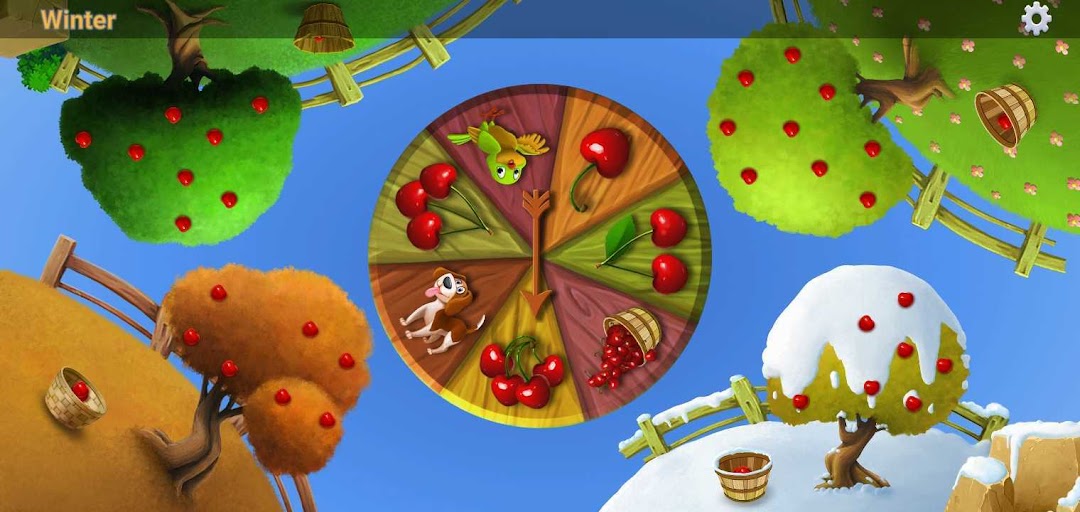
Hi Ho! Cherry-O! is a children's put and take board game in which two to four players spin a spinner in an attempt to collect cherries.Each player starts the game with an empty basket and 10 cherries on their tree. Players take turns spinning the spinner and performing the indicated action. The spinner is divided into seven sections:
Game does not contain ads!!!
1. Take one cherry off of the tree
2. Take two cherries off of the tree
3. Take three cherries off of the tree
4. Take four cherries off of the tree
5. Dog: Replace cherries on the tree: two if the player has at least that many, or one if they have only one. If the player's bucket is empty, this space has no effect.
6. Bird: Same effect as the dog
7. Spilled basket: Return all cherries to the tree
Birds from bird land and dogs from dog town like to eat cherry. Do not allow them to eat cherries get all and win the game.
The first player to collect all the cherries from their tree and call "Hi Ho! Cherry-O!" wins the game.
Kids can have such fun picking fruit to fill their baskets, they don’t even realize they’re practicing math skills, such as counting, addition and subtraction