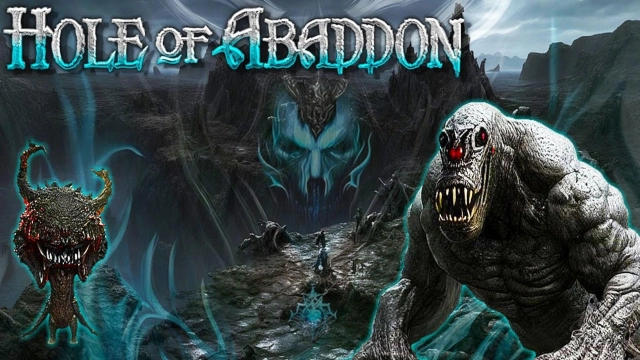
Hole of Abaddon: Dark RPG is a Role Playing game developed by FREIHEIT GAMES, and LDPlayer is the best platform for playing Hole of Abaddon: Dark RPG on Windows PC, offering powerful features for an immersive experience.
When playing Hole of Abaddon: Dark RPG on PC, as a new player looking to start with a fresh account, the multi-instance and sync features are extremely useful for rerolls. You can use them to run multiple instances and begin the synchronization process. Bind your account until you draw the desired heroes.
In addition, operation recorder is great for games that require you to level up and complete tasks! Run the sync and record your actions, then repeat the main instance's actions in real-time. By doing so, you can run 2 or more accounts simultaneously. You can always get the heroes you want before others by faster rerolls and more efficient summoning! Start downloading and playing Hole of Abaddon: Dark RPG on your computer now!
* v1.7d introduced offline rewards.* This application recommends a minimum of 4GB of RAM for optimal performance. If this requirement is not met, you may frequently experience lag or freezing issues.
=== Battle Scene ===
Battles proceed in a time command format. Various fighting styles can be employed through combinations of equipment and skills. Monsters come in multiple grades, such as common, elite, hero, boss, and rare, each attacking the protagonist with a diverse range of abilities. There is an auto-battle mode that allows for simple customization, making it easier to level up and gather materials. However, in boss battles, auto-battle cannot be used, requiring the player to overcome the challenges with their own strategic choices.
=== Crafting and Enhancement of Equipment ===
Equipment can be obtained by acquiring them as loot from monsters or by gathering materials to craft them. The crafting system for equipment production encompasses a variety of roles, including ore processing, material mixing, alchemy, and concoction. Equipment with the same name can be enhanced through synthesis. Since all equipment has randomness, it is necessary to carefully select and proceed with synthesis using suitable gear to cultivate equipment that matches your preferences. There are achievements related to the crafting and synthesis of equipment, so even low-value equipment is not rendered useless when nurtured.
=== Rune Stone ===
A Rune Stone is a magical stone imbued with the power of elements. To unleash the power of the Rune Stone, it needs to undergo repeated synthesis to grow into its ideal state. Rune Stones are indispensable for enhancing the abilities of the protagonist and manipulating certain skills.
=== Magic Fruit ===
The Magic Fruit available for purchase in shops is a valuable item that, albeit in small quantities, permanently increases the protagonist's abilities. Even if you update the shop list without buying them, the total number you can eventually purchase remains the same.
=== Other Elements ===
There are various elements in the game that can either assist or challenge the protagonist. Although it doesn't come with rapid leveling up, feelings of invincibility, or overwhelmingly powerful equipment, we hope you'll appreciate the game's carefully balanced design and enjoy the traditional challenge it offers. It also presents the joy of choosing equipment, reminiscent of Hack & Slash games. Delight in the gritty feel unique to indie games.
On this island infested with monsters, you venture through caves shrouded in darkness, tread upon lands overgrown with strange plants, wander through dungeons where ghosts dance, and sneak into the lair of a dragon... What do you seek beyond such dire dangers? In this enigmatic setting, you too are an entity filled with mysteries.
Twitter:https://twitter.com/SONNE_DUNKEL
Discord (Japanese or English):https://discord.gg/Y6qgyA6kJz
website (Japanese only):https://freiheitapp.wixsite.com/sonne