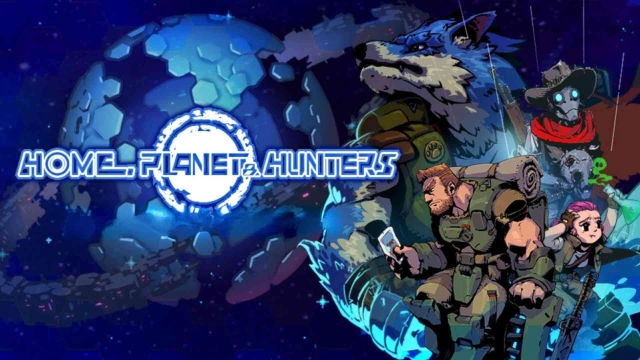
Home, Planet & Hunters is a Role Playing game developed by Black Pearl Games Ltd., and LDPlayer is the best platform for playing Home, Planet & Hunters on Windows PC, offering powerful features for an immersive experience.
When playing Home, Planet & Hunters on PC, as a new player looking to start with a fresh account, the multi-instance and sync features are extremely useful for rerolls. You can use them to run multiple instances and begin the synchronization process. Bind your account until you draw the desired heroes.
In addition, operation recorder is great for games that require you to level up and complete tasks! Run the sync and record your actions, then repeat the main instance's actions in real-time. By doing so, you can run 2 or more accounts simultaneously. You can always get the heroes you want before others by faster rerolls and more efficient summoning! Start downloading and playing Home, Planet & Hunters on your computer now!
A shattered alien world. A squad of 3 Hunters. Real-time combat where every element counts.Will you be the hunter—or the hunted? Your battles decide the fate of the planet!
When the planet broke apart, the survivors fled to the orbital "Ring," longing for the Home they lost. Now the Hunters return to the world below—fighting across its ruined continents for survival, for hope, and for a future worth saving.
GAME FEATURES
• Real-time squad action — Control 3 Hunters at once for fast, exhilarating combat.
• Elemental combos — Burn with Fire, Freeze with Ice, or fuse "Fire + Ice" into "Water" to drench your prey. The tactics are yours.
• No limits, ever — No "Energy," no "Stamina." Explore and gather resources for as long as you like.
• Bizarre prey & giant bosses — Hunt notorious Hooligans, low-flying octopuses and twist-dancing sandworms… and pray you never meet the legendary "Giant Hand."
• 8+ Hunters, each with a story — Build a crew of unforgettable misfits and gear them up your way.
• Gear & set builds — Mix equipment, trigger set bonuses, and craft your perfect team combo. A great Hunter always has more than one trick.
• Refined retro pixel art — A gorgeous, hand-crafted alien world in classic pixel style.
The whole planet is your hunting ground. Grab your squad and move out, Hunter!
------ A Word from the Developers ------
It's been 5 years since our last game, "Brutal Street 2." Creating something new—while staying true to what came before—was anything but easy. "Home, Planet & Hunters" is a labor of love from all of us, and we truly hope you enjoy it.
— The 12 friends at Black Pearl Games
Discord: https://discord.gg/kS8G3rt9jh
Facebook: www.facebook.com/BlackPearlGames
X (Twitter): twitter.com/bpgames321
Instagram: www.instagram.com/blackpearlgames
Threads: www.threads.net/@blackpearlgames