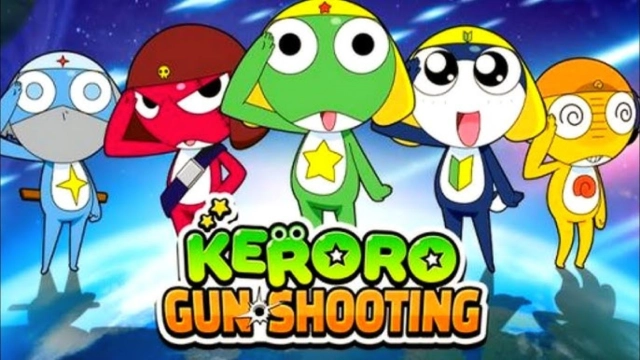
Keroro Gun Shooting is a Action game developed by raiwonsoftGLOBAL, and LDPlayer is the best platform for playing Keroro Gun Shooting on PC, offering powerful features to immerse you in the game.
When playing Keroro Gun Shooting on computer, you can adjust frame rate settings for smooth gameplay and stunning visuals.
LDPlayer also provides pre-configured keyboard mapping for convenient control of the entire game. Continuous optimization of keyboard mapping enhances key sensitivity and skill accuracy. Additionally, LDPlayer offers special buttons like shoot, hide mouse, and continuous key press for an enhanced gaming experience.
If you prefer using a gamepad, the automatic gamepad detection allows you to customize controls with just a few clicks, enabling you to freely maneuver your hero. Start downloading and playing Keroro Gun Shooting on your computer now!
■ Official Community Channels ■- Official Discord: https://discord.gg/ENwSVEYg9u
- Official Facebook: https://www.facebook.com/KeroroGunShooting
"I am none other than Sergeant Keroro, Leader of the Planet Keron Special Tactics Platoon!"
On a mission to conquer Pekopon,
Sergeant Keroro and his platoon have arrived to gather intel!
Join these mischievous frogs in a Pekopon gun-shooting adventure!
Now, enjoy the fun casually on mobile!
"Keroro Platoon, full deployment!"
Adorable characters faithfully recreated from the original!
Meet the classic frogs brought to life just like the original!
Enjoy real-time battles right at your fingertips!
Dive into live PvP action with players from around the world!
Over a hundred unique weapons to choose from!
Combine faithfully recreated weapons from the original to claim victory in battle!
Style your cute frogs with costumes from the original and beyond!
Deck out your unique frog characters with a variety of fun outfits!
Exclusive nonstop content in Keroro Gun Shooting!
Experience a variety of exciting content without a break!
■ Operational Policies ■
- Privacy Policy: https://dashboard-api.gamepot.ntruss.com/pages/575c2208-570a-40a6-95c4-4172c5468cac
- Terms of Service: https://dashboard-api.gamepot.ntruss.com/pages/220accd7-2a38-4b90-9ca3-855fe5e33805
▣ Smartphone App Permissions ▣
To provide the following services during app usage, we request access permissions.
[Required Access Permissions]
Photos/Media/Files: Necessary for storing game installation and update files,
as well as uploading materials to customer support.
[Optional Access Permissions]
Camera: Allows taking photos and videos for upload purposes.
▣ How to Withdraw Access Permissions ▣
[Method for Withdrawing Access Permissions]
▶ Android 6.0 and above: Go to Settings > Apps > Select Permissions > Permission List > Choose to Allow or Withdraw Access Permissions.
▶ Below Android 6.0: Due to OS limitations, permissions cannot be individually withdrawn. Permissions can only be withdrawn by deleting the app. We recommend upgrading to Android 6.0 or higher.
※ The app may not offer individual consent settings, so you can manage access permissions using the methods above.