Home/

Games/

Action/

Kick the Buddy-Fun Action Game

Kick the Buddy-Fun Action Game
4.03K+

Kick the Buddy-Fun Action Game

Hit, punch, and toss the funny dummy to relax in this cool anti-stress game!

Play on PC with LDPlayer
recommend
Playgendary Limited
How to Download&Play Kick the Buddy-Fun Action Game on PC?
Last Updated: 2026-01-31
com.playgendary.kickthebuddy
Share:
  • Overview

  • FAQ

  • Game Guides

Use LDPlayer to Play Kick the Buddy-Fun Action Game on PC

Play Kick the Buddy on PC
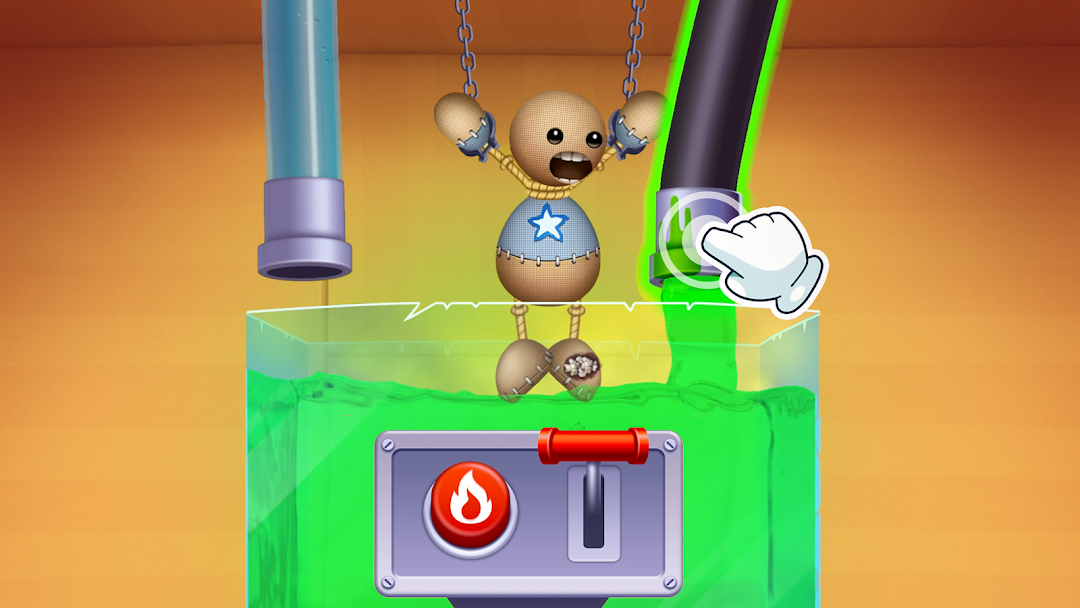
Playgendary makes the perfect action game with some stress-relieving elements, such as Kick the Buddy. This simulator game allows you to run your imagination in any path. You will be able to release the tension stored in your day. Even if you are in anger, don’t just release it for someone else. Kick the Buddy is there for you to release your tension, and this time, lay on to the Buddy. Whatever you do to him, he will run back to you with a perfect smile.

A Relaxing Game with More Fun
Kick the Buddy is more than a game because it is therapy for our minds. You have a top interaction here to relieve the stress; when we say relieving it, it means that you are slapping some dolls. On a long day when we have to face longer troubles, nothing more than a slap can heal our hearts.
Don’t get troubled by slapping another person; you have the dolls and just slap them. They will not create drama and will forget you about your anger. To make it a perfect stress relief moment, you can head into the LDPlayer 9.

More Options to Kick and Beat
Do you want a rocket, a grenade or a bomb to hit? You can use whatever you want here to hit the doll, and things will get more and more fun when you beat the bosses. It is just about smashing and destroying, so if you want more kicks, you have more options to kick and dash your ragdoll. And it is the perfect day to unleash your anger.
 

Open up

Screenshots and Videos of Kick the Buddy-Fun Action Game PC

Experience a wider field of view, exquisite game graphics, and cooler combat skills and effects by downloading and playing Kick the Buddy-Fun Action Game on PC with LDPlayer. Enjoy the ultimate gaming experience with LDPlayer.

Why Play Kick the Buddy-Fun Action Game on PC with LDPlayer?

LDPlayer offers unique emulator features including multi-instance support, macros, operation recorder, and other functions not available on mobile devices.

Ultra-Wide Screen

Keyboard Mapping

One-Click Macro

Ultra-Wide ScreenKeyboard MappingOne-Click Macro

Utilizing the expansive screen, it offers a panoramic, all-encompassing view of the game in Kick the Buddy-Fun Action Game, leaving no blind spots. Players can observe game details with crystal clarity and react instantaneously.

  • High FPS

    With support for high FPS, Kick the Buddy-Fun Action Game's game graphics are smoother, and actions are more seamless, enhancing the visual experience and immersion of playing Kick the Buddy-Fun Action Game.
  • Extended Battery Life

    When running Kick the Buddy-Fun Action Game on your computer, you need not worry about low battery or device overheating issues. Enjoy playing for as long as you desire.

How to Download&Play Kick the Buddy-Fun Action Game on PC?

  • 1

    Download and install LDPlayer on your computer

  • 2

    Locate the Play Store in LDPlayer's system apps, launch it, and sign in to your Google account

  • 3

    Enter "Kick the Buddy-Fun Action Game" into the search bar and search for it

  • 4

    Choose and install Kick the Buddy-Fun Action Game from the search results

  • 5

    Once the download and installation are complete, return to the LDPlayer home screen

  • 6

    Click on the game icon on the LDPlayer home screen to start enjoying the exciting game