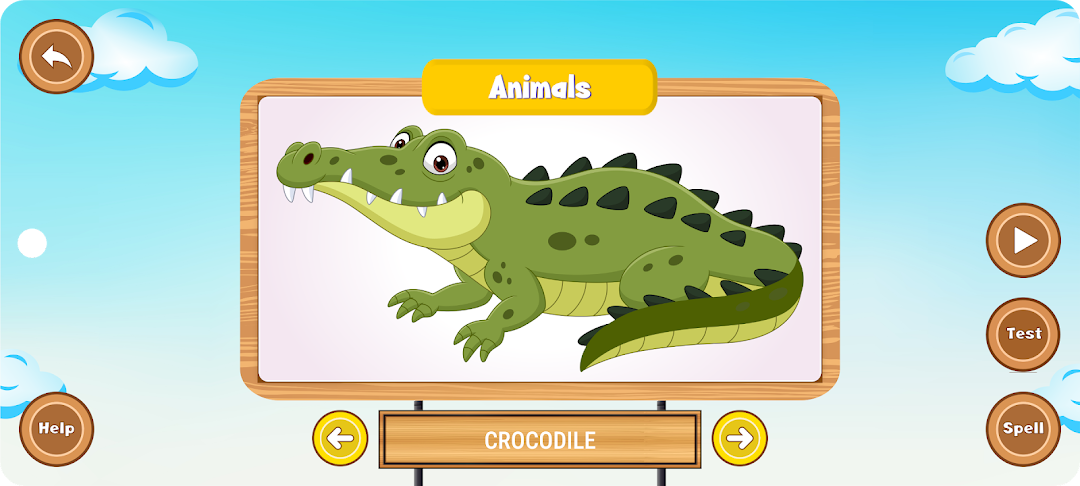
Kidzu - Nursery, LKG is a Educational application developed by Applicationriseimperator Evolving New Technolgies, but with the best Android emulator-LDPlayer, you can download and play Kidzu - Nursery, LKG on your computer.
Running Kidzu - Nursery, LKG on your computer allows you to browse clearly on a large screen, and controlling the application with a mouse and keyboard is much faster than using touchscreen, all while never having to worry about device battery issues.
With multi-instance and synchronization features, you can even run multiple applications and accounts on your PC.
And file sharing makes sharing images, videos, and files incredibly easy.
Download Kidzu - Nursery, LKG and run it on your PC. Enjoy the large screen and high-definition quality on your PC!
Kidzu Preschool Learning app helps kids learn with specially crafted preschool learning activities, such as preschool kids learning shapes, numbers, alphabets, animals, birds, months, and days of the week. With its simplified operation, the preschool learning app will help your child learn both, the pronunciation and spelling of an object. Kidzu preschool toddler games will take quizzes to test skills and has fun at it.o The best Preschool Kids Learning Quiz!
o Recognize animals, numbers, and alphabets by their shape
o Learn to spell and pronounce names
Preschool learning app for kids that makes learning fun!
Tapping a preschool kid’s inclination to learn is a challenge for many parents. Kidzu offers toddlers learning games with interactive teaching methods while being simple. The kids learning app puts your child in the best position to make the best of their learning skills! Before your kid is ready to go to school, the child would know how to spell and pronounce the names of birds, animals, numbers, alphabets, animal games, and more.
1. English alphabet learning games to pronounce all
2. Phonetics and understanding of numbers
3. Animals learning app games help the kid recognize animals by shapes & images, learn and spell names
4. With the birds learning games recognize by their images and spelling their names
5. Fruits learning app games for recognizing their spelling and pronunciation
6. Learn about vegetables with the vegetable learning games
7. Recognize different flowers by their names and learn to spell them
8. Interactive color learning for kids, spelling, and recognition
9. Shapes games for kids, learning shapes names, and their spelling
10. Weekday learning app games, phonetics, and learning to spell
11. Months learning app games, spelling, and recognition
12. Knowing and spelling body parts' names
13. Recognizing and spelling kitchen utensils and gadgets
14. Knowing furniture names and spelling them
15. Spelling and phonetics for different automobiles
16. Seasons’ names and spellings
17. Good habits for kids and daily routine
18. Spelling of school items
19. Learning family relationship names
20. Learning birthday items
Easy-to-use kids education app
You’d come to see that the app is easy to use when you spend some time with your toddler using the app.
1. Select the category for which one would like to test the toddler’s spelling or pronunciation skills. Main categories, such as animals, alphabets, numbers, shapes, etc. at the home screen, can be chosen by swiping and tapping.
2. The app first describes each image it shows with a single-word description that you hear.
3. Tapping the next/previous buttons or using the play button takes you to the next image.
4. One has a choice of either going for the pronunciation test or the spelling test.
5. When kids pronounce the name of the object, such as Elephant, the app says correct, if the pronunciation was correct.
Learn at play
Kidzu app is a radical transformation in the field of Kid's preschool learning.
What’s more, kids will enjoy their time as they learn, and find a way to associate with the pleasing graphics created especially for the app. This is a kids learning app for kids at its best.
Finest learning games for kids!
When you download this educational app for kids over your smartphone, you make an investment towards smarter kids better placed to succeed at school. The preschool learning app helps your child in several ways:
o Makes learning fun
o Relating objects with language
o Spelling
o Learning speech and pronunciation
o Understanding the meanings of words, such as birds, animals, alphabets, numbers, days, and months.
While being highly useful as a preschool learning kit, the app is free to download. It delivers a matchless performance across all smartphones and tablet devices and delivers fine results for kids’ education.