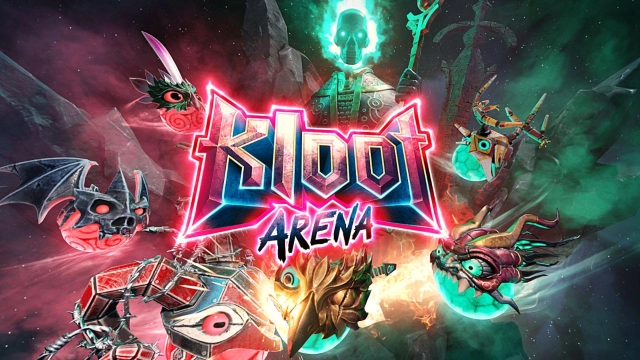
Kloot Arena is a Action game developed by Itatake, and LDPlayer is the best platform for playing Kloot Arena on PC, offering powerful features to immerse you in the game.
When playing Kloot Arena on computer, you can adjust frame rate settings for smooth gameplay and stunning visuals.
LDPlayer also provides pre-configured keyboard mapping for convenient control of the entire game. Continuous optimization of keyboard mapping enhances key sensitivity and skill accuracy. Additionally, LDPlayer offers special buttons like shoot, hide mouse, and continuous key press for an enhanced gaming experience.
If you prefer using a gamepad, the automatic gamepad detection allows you to customize controls with just a few clicks, enabling you to freely maneuver your hero. Start downloading and playing Kloot Arena on your computer now!
Welcome to Kloot Arena! This turn-based Online PvP Battle Arena game delivers non-stop action with fast-paced, skill and strategy-driven battles.BATTLE ONLINE OR VS FRIENDS
Challenge your friends to head-to-head clashes or compete against other online players in ranked battles. Earn rewards and climb the leagues to battle your way to the top!
CLIMB THE LEAGUES
Compete for glory and rewards as you collect stars to make your way through the leagues, reaching for the top!
EVOLVE, UPGRADE, CUSTOMIZE, MANAGE AND MASTER
Collect and customize epic characters, then evolve and upgrade them to become even more powerful. With unique attacks including devastating explosions, flying projectiles, brawling tackles, cutting blades, and more, you'll need to master each character's strengths and strategies to become a real Kloot Master!
A UNIQUE GAME WITH AMAZING LOOK AND FEEL
Easy-to-use controls, amazing sound, and stunning graphics make Kloot Arena a truly immersive gaming experience. And with continuous updates, there's always something new and exciting to discover.
Join the battle today and thank you for playing with us! Itatake ❤️