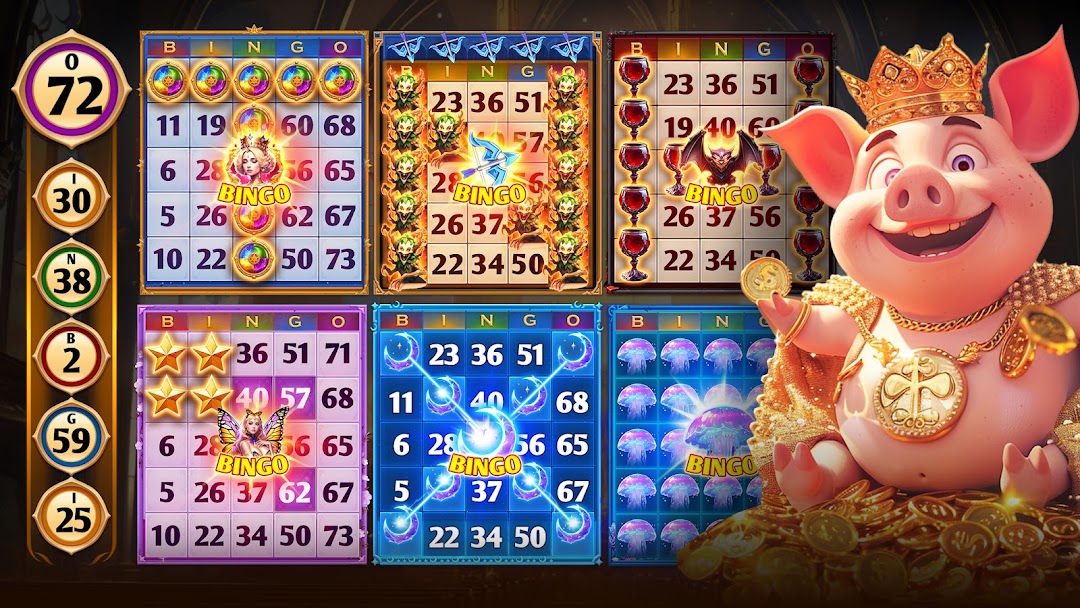
Legendary Hero Bingo is a Board application developed by BitStrong Games, but with the best Android emulator-LDPlayer, you can download and play Legendary Hero Bingo on your computer.
Running Legendary Hero Bingo on your computer allows you to browse clearly on a large screen, and controlling the application with a mouse and keyboard is much faster than using touchscreen, all while never having to worry about device battery issues.
With multi-instance and synchronization features, you can even run multiple applications and accounts on your PC.
And file sharing makes sharing images, videos, and files incredibly easy.
Download Legendary Hero Bingo and run it on your PC. Enjoy the large screen and high-definition quality on your PC!
Legendary Hero Bingo: Your Global Bingo Odyssey Awaits!Calling all bingo enthusiasts! Are you ready to embark on a captivating adventure that blends the thrill of online bingo with the excitement of a globetrotting board game? Look no further than Legendary Hero Bingo!
Step into a world of captivating gameplay unlike any bingo experience you've had before. Challenge yourself with multi-card play, strategizing across multiple boards for an exhilarating rush. Spice things up with powerful powerups that enhance your chances of winning and collecting unique items as souvenirs from your virtual globetrotting journey.
Legendary Hero Bingo seamlessly blends classic bingo mechanics with a social board game twist. Explore iconic landmarks around the world with your friends and family, creating lasting memories together. Every win brings you closer to collecting tons of free tickets and powerups, fueling your bingo odyssey.
Need a boost? We've got you covered! Here are some handy tips for accumulating tickets and maximizing your fun:
- Become a master builder! Upgrade key buildings like the Ticket Center, Casino, Wishing Well, and Diamond Shop to unlock a steady stream of tickets and resources. Don't forget to raid other towns for a playful dose of friendly competition.
- Join the club! Claim your Daily Free Gift within your club for an extra ticket injection.
- Make daily rewards a habit! Collect your Daily Bonus and spin the hourly Spinner for a chance to win even more tickets.
Break the piggy bank! Save diligently and smash open your Piggy Bank for a satisfying surge of tickets.
- Play smart! Participate in the low-cost room, complete engaging Daily Quests and Challenges, and unlock generous rewards through your Quest Pass and Achievements.
- Stay connected! Follow our Facebook fan page for exclusive ticket giveaways and stay tuned for additional surprise gifts sent throughout the day.
Legendary Hero Bingo is more than just a game; it's a social haven and a stress-reliever! Connect with friends and family, or meet thousands of players worldwide as you explore the wonders of the virtual world.
Important Note: Legendary Hero Bingo is intended for an adult audience (21+) for entertainment purposes only. It does not offer real-money gambling or the chance to win real money or prizes based on gameplay.
Pack your virtual bags, grab your friends, and download Legendary Hero Bingo today! Your global bingo odyssey awaits!