
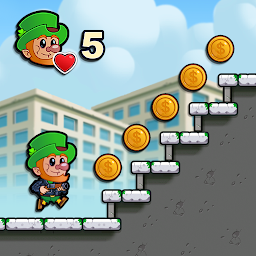


Lep's World Z is a Arcade application developed by nerByte GmbH, but with the best Android emulator-LDPlayer, you can download and play Lep's World Z on your computer.
Running Lep's World Z on your computer allows you to browse clearly on a large screen, and controlling the application with a mouse and keyboard is much faster than using touchscreen, all while never having to worry about device battery issues.
With multi-instance and synchronization features, you can even run multiple applications and accounts on your PC.
And file sharing makes sharing images, videos, and files incredibly easy.
Download Lep's World Z and run it on your PC. Enjoy the large screen and high-definition quality on your PC!
Help! The undead are coming... The world is being overrun by zombies! Are you brave enough to help Lep and his friends?Ready for an adventure? The creators of "Lep's World" present a platformer with menacing zombies, lots of heroes with different skills, impressive boss battles and much, much more!
"Lep's World Z" is an action-packed adventure in a world after the zombie invasion! Lep is fleeing with his mobile home from the gigantic zombie hordes. On his journey, he meets other survivors, who join forces with him to overcome the dangerous zombie ringleaders and put an end to the invasion. Are you prepared to take on this challenge?
FEATURES
+ Discover new areas (more than 60 levels in a breathtaking game world)
+ Play with different heroes (Lep, Officer Giles, Darren Watson, Mary Whyte and plenty more)
+ Fight against many challenging opponents
+ Intense boss battles
+ Wonderful animations and game graphics
+ Compare your progress with that of your friends on Facebook!
+ Seamless synchronization with the Facebook version
+ Game Services with tricky achievements and cool ranking lists
+ Multiplayer feature
+ Optimized for all devices
Note: Although "Lep's World Z" can be downloaded and played completely free of charge, some in-game items can also be purchased for real money. If you prefer not to make use of this feature, please deactivate in-app purchases in the settings for your device.
Website:
www.ZombieWorldGame.com
Facebook:
facebook.com/LepsWorld
Support:
If you are having problems, go to www.ZombieWorldGame.com/#bottom
Data privacy policy:
Go to www.ZombieWorldGame.com/privacypolicy
You can also give our other games a try: Lep’s World, Lep’s World 2, Lep’s World 3
Enjoy "Lep's World Z"!







