Lila's World:Dr Hospital Games is a Educational application developed by Photon Tadpole Studios, but with the best Android emulator-LDPlayer, you can download and play Lila's World:Dr Hospital Games on your computer.
Running Lila's World:Dr Hospital Games on your computer allows you to browse clearly on a large screen, and controlling the application with a mouse and keyboard is much faster than using touchscreen, all while never having to worry about device battery issues.
With multi-instance and synchronization features, you can even run multiple applications and accounts on your PC.
And file sharing makes sharing images, videos, and files incredibly easy.
Download Lila's World:Dr Hospital Games and run it on your PC. Enjoy the large screen and high-definition quality on your PC!
WELCOME TO LILA'S WORLD - HOSPITAL
PRETEND PLAY
Welcome to Lila's World: Hospital, the ultimate game for aspiring doctors and nurses! In this fun and educational game, you'll get to play as Lila or countless other characters, and help patients and save lives.
Create Your Own Stories
Create your own Hospital Stories as you explore this huge Hospital in Lila's Town. You can save lives as a Paramedic in a Helicopter, get an Eye Test done, go for a Dental check-up or even perform Surgeries in the Operation Theater.
Download Unlimited Characters
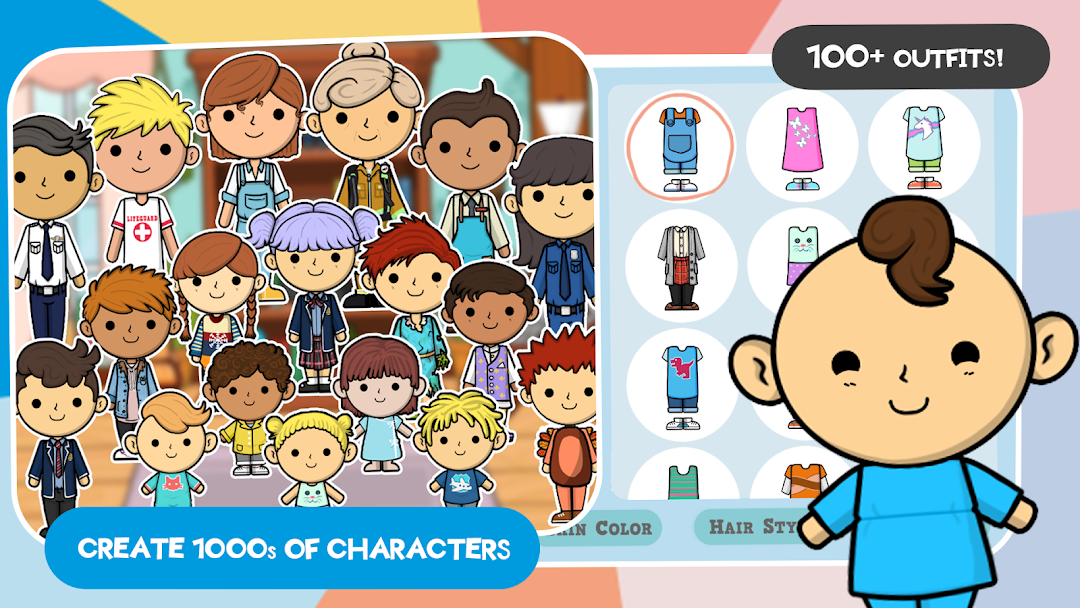
You can also download Unlimited Characters and play with them as doctors, nurses or even patients. Download and play with Characters created by Millions of other players worldwide. Make them your doctors, nurses or your patients in your Town's Hospital.
Play as a Doctor, Nurse, Patient or Surgeon
Step into Lila's World: Hospital and explore the exciting stories and challenges that await you. As you progress through the game, you'll encounter a variety of patients with different ailments and injuries. From broken bones to mysterious illnesses, you'll need to use your medical knowledge and skills to diagnose and treat each case.
With Lila's World: Hospital, you'll have the chance to experience the daily life of a doctor in a fully interactive and immersive environment. Use the latest medical equipment and techniques to perform surgeries, administer medication, and more.
Lila's World: Hospital is the perfect game for kids who love to play and learn. With colorful graphics, fun sound effects, and intuitive controls, this game will keep you engaged and entertained for hours on end. Whether you dream of becoming a doctor or just want to have fun exploring the world of medicine, Lila's World: Hospital is the game for you.
Features:
* Play as Lila, a young doctor who helps her patients in the hospital
* Explore exciting stories and challenges
* Diagnose and treat a variety of patients with different ailments and injuries
* Use the latest medical equipment and techniques to perform surgeries, administer medication, and more
* Colorful graphics, fun sound effects, and intuitive controls
* Suitable for kids of all ages
Download Lila's World: Hospital today and start your journey to becoming a top doctor!
PLAY
In “Lila’s Word” there are no rules and no goals. Playing is as easy as tapping and dragging the characters to move them around so that different real world situations can be recreated.
SAFE FOR KIDS
"Lila's World Hospital" is absolutely safe for kids. Even while we allow kids to play with other kid's creations from around the world, we make sure all our content is moderated and nothing is approved without getting approved first. We collect no personal information and your can play completely offline if you want as well
You can find our Terms of Use here:
https://photontadpole.com/terms-and-conditions-lila-s-world
You can find our Privacy Policy here:
https://photontadpole.com/privacy-policy-lila-s-world
If you have any questions, you can email us at support@photontadpole.com