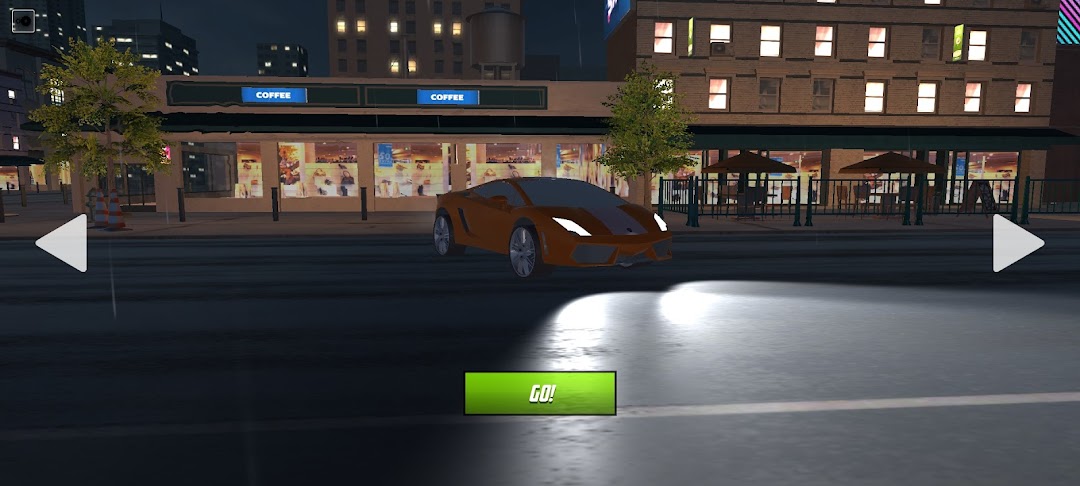
Lone Ride is a Racing game developed by Lawis Studio. LDPlayer is the best platform for playing Lone Ride on Windows PC, providing robust features to help you achieve an immersive experience in Lone Ride.
When playing Lone Ride on your computer, if you prefer using your own gamepad to control the game, LDPlayer's automatic gamepad detection can assist you in customizing controls with just a few simple clicks, allowing you to enjoy more realistic racing scenes and challenges.
With support for high frame rates, the game's diverse track designs and rich terrain and environmental changes become even more lifelike and detailed.
Additionally, the video recording feature makes it easy for you to capture all the exciting and amusing races and game content, making it convenient to share with friends or create videos. Start downloading and playing Lone Ride on your computer now!
Lone Ride is the ultimate adrenaline-pumping racing game set in the dark of night. Get ready for an endless thrill as you speed through the city streets, maneuvering through traffic with precision and skill. Dodge cars, trucks, and obstacles in the glow of neon lights, pushing your reflexes to the limit. Immerse yourself in the stunning visuals and dynamic lighting effects that bring the city to life after dark. Can you handle the challenge and become the ultimate night traffic racer? Download now and embark on an electrifying journey!- Experience the ultimate adrenaline-pumping racing game set in the dark of night
- Speed through the streets, maneuvering through traffic with precision and skill
- Immerse yourself in stunning visuals and dynamic lighting effects
- Push your reflexes to the limit in this endless thrill ride
- Dominate the night and become the ultimate traffic racer
Download now and embark on an electrifying journey!