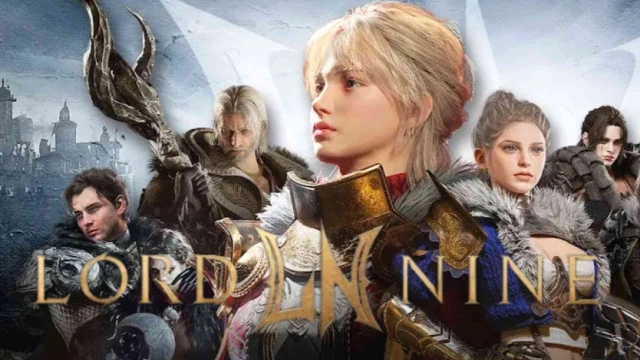
LORDNINE : Infinite Class is a Role Playing game developed by Smilegate, Inc., and LDPlayer is the best platform for playing LORDNINE : Infinite Class on Windows PC, offering powerful features for an immersive experience.
When playing LORDNINE : Infinite Class on PC, as a new player looking to start with a fresh account, the multi-instance and sync features are extremely useful for rerolls. You can use them to run multiple instances and begin the synchronization process. Bind your account until you draw the desired heroes.
In addition, operation recorder is great for games that require you to level up and complete tasks! Run the sync and record your actions, then repeat the main instance's actions in real-time. By doing so, you can run 2 or more accounts simultaneously. You can always get the heroes you want before others by faster rerolls and more efficient summoning! Start downloading and playing LORDNINE : Infinite Class on your computer now!
“The master of this world…is now you.”On a vast continent ruled by nine Lords,
you have been chosen by Orphe
to awaken as the legendary tenth Lord.
A grand tale of freedom, battle, and glory begins now!
■ Play Your Way, A Class System Without Limits!
Choose from over 60 classes and switch between them instantly.
Mix and match weapons and combat styles to define your unique playstyle.
Customize your skill sets with the Ability + Tag system!
■ Stunning Graphics Anyone Can Enjoy
Characters brought to life through motion capture and 3D photogrammetry.
Optimized with the Unity engine for smooth performance, even on low-end devices.
Enjoy full cross-play between PC and mobile!
■ A Fair and Open Economy
Intuitive, transparent probability mechanics.
1:1 player trading and a free-market system
Forget pay-to-win! Everything you wear is earned, not bought!
■ Forge Your Legend, Only in LORDNINE!
A world where anyone can rise to power.
Live the full, authentic MMORPG experience, your path, your story, only in LORDNINE!
▣ LORDNINE Official Channels ▣
* Official Website: https://l9asia.onstove.com/en
* Discord: https://discord.gg/lordninesea
* Official Community: https://page.onstove.com/l9asia/sea
▣ App Permissions ▣
[Optional App Permissions]
Notifications: Used to receive push notifications and other alerts from LORDNINE.
* You can use the service even if you do not agree to the optional permissions.
▶ How to Revoke App Permissions
After granting permissions, you can reset or revoke them as follows.
[Operating System 7.0 or later]
Settings > Apps > Select the App > Permissions > Allow or Deny Access
[Operating System below 7.0]
Upgrade your operating system to revoke access permissions, or uninstall the app.
* Includes probability-based items
------------------------------------
Company Name: Smilegate, Inc.
CEO: Sung Joon Ho
Address: 5F, 220 Pangyoyeok-ro, Bundang-gu, Seongnam-si, Gyeonggi-do, Korea (Sampyeong-dong, Solid Building)
Phone Number: 1670-0399
Email: help@smilegate.com
Business Registration Number: 132-81-60298
Mail Order Business Registration No.: 제 2022-성남분당A-1071 호
Mail Order Business Registration Authority: Seongnam City
* Additional charges apply when purchasing paid items.
----
Developer Contact:
Smilegate, Inc., 5F, 220 Pangyoyeok-ro, Bundang-gu, Seongnam-si, Gyeonggi-do, Korea (Sampyeong-dong, Solid Building)
Seongnam-si, Gyeonggi-do 13493
South Korea 1328160298 제 2022-성남분당A-1071 호 성남시