
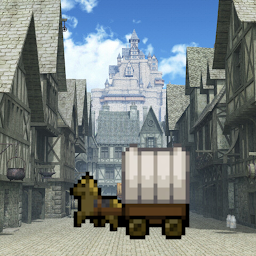


Merchant Life is a Simulation application developed by Uesugi Games, but with the best Android emulator-LDPlayer, you can download and play Merchant Life on your computer.
Running Merchant Life on your computer allows you to browse clearly on a large screen, and controlling the application with a mouse and keyboard is much faster than using touchscreen, all while never having to worry about device battery issues.
With multi-instance and synchronization features, you can even run multiple applications and accounts on your PC.
And file sharing makes sharing images, videos, and files incredibly easy.
Download Merchant Life and run it on your PC. Enjoy the large screen and high-definition quality on your PC!
You've been summoned to another world.What was waiting for you there was a harsh merchant life ...
Let's travel with the spirits to various towns and bring back energy to the world!!
Hope you don't meet the thief...
Let's sell the items you got side by side on the display stand!
If you need an item to sell, ask the adventurer from the Adventurer's Guild.
Various products and high-paying requests are waiting for you in the Merchant Guild!
If you buy an alchemy pot for sale in the Merchant Guild, you can spend HP and materials to synthesize new items.
If you can afford it, donate to the temple. You will be blessed by the spirits in each town.
If you get tired of the same scenery, let's leave the town. The higher the merchant rank, the more towns you can visit.
Travel around the world and try to find a way to return to your original world.
*If you see "Touch to Start" on the title screen when you start the game, but nothing happens when you touch the screen, the game may have failed to install the expansion file. Please check the free space on your mobile device, or try changing the destination of the game installation from the main unit to the SD card or from the SD card to the main unit. It may also be improved by changing the communication line and installing a new one.







