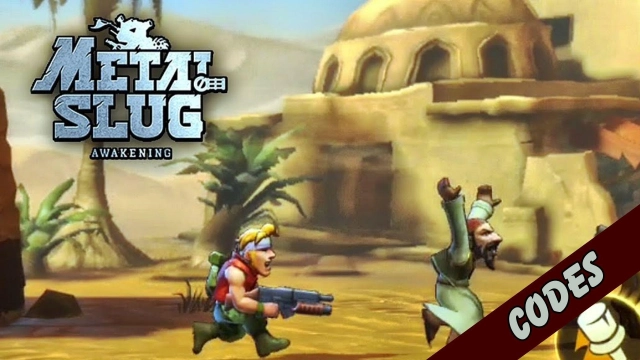
Metal Slug: Awakening is a Action game developed by VNG SINGAPORE PTE. LTD., and LDPlayer is the best platform for playing Metal Slug: Awakening on PC, offering powerful features to immerse you in the game.
When playing Metal Slug: Awakening on computer, you can adjust frame rate settings for smooth gameplay and stunning visuals.
LDPlayer also provides pre-configured keyboard mapping for convenient control of the entire game. Continuous optimization of keyboard mapping enhances key sensitivity and skill accuracy. Additionally, LDPlayer offers special buttons like shoot, hide mouse, and continuous key press for an enhanced gaming experience.
If you prefer using a gamepad, the automatic gamepad detection allows you to customize controls with just a few clicks, enabling you to freely maneuver your hero. Start downloading and playing Metal Slug: Awakening on your computer now!
MISSION START! The world-renowned arcade masterpiece is back! Metal Slug: Awakening officially brings the classic "Run & Gun" soul to mobile, fully licensed by SNK. Reimagined with stunning 3D graphics and modern gameplay, this is the ultimate action experience for a new generation of Commanders.★ Next-Gen 3D Shoot ‘em Up Action ★ Get ready for a high-octane adrenaline rush! If you crave the intensity of tactical shooters and battle royale challenges, our revamped combat system will keep you on the edge of your seat:
Massive Arsenal: Lock and load with iconic weapons like the Heavy Machine Gun (H), Laser Gun (L), and Flame Shot.
Super Vehicles: Pilot legendary Slug tanks, fighter jets, or the flame-spitting camels to dominate the battlefield with overwhelming firepower.
★ 3-Player Co-op & Tactical Teamwork ★ Don't fight alone! Metal Slug: Awakening emphasizes the power of strategic teamwork and squad-based coordination:
Joint Operation: Team up with 3 players to take down massive, screen-filling Bosses in challenging Co-op missions.
Real-time PvP: Test your shooting skills and reflexes in the competitive arena. Rise through the ranks and prove you are the top Commander in the region.
★ Roguelike Adventures & High-Fidelity Visuals ★ Experience a strategic twist with the all-new Roguelike mode, adding a layer of unpredictability to every mission:
Dynamic Missions: Every run offers unique random skills and power-ups, ensuring no two battles are ever the same. Perfect for fans of skill-based adventure games.
Stunning 3D World: Explore reimagined iconic maps like the Pyramids and Deserts in high-quality visuals that fans of stylized action RPGs will appreciate.
★ Classic Gimmicks & Hidden Surprises ★ We’ve preserved the "Arcade Soul" that made this series a hall-of-famer:
Funny Transformations: Turn into the agile Fat Marco or the slow-moving Mummy!
Legendary NPCs: Rescue Hyakutaro to receive secret buffs and rare items.
Easter Eggs: Discover hidden paths and classic gags in every stage for a true nostalgia trip.
★ Optimized Mobile Performance ★ Designed for high-performance mobile gaming with smooth controls and explosive visual effects. Experience the thrill of the arcade anytime, anywhere. Are you ready to lead the charge?
Commander, Mission Start! Download Metal Slug: Awakening today!
©SNK CORPORATION ALL RIGHTS RESERVED. Published by VNGGames.