
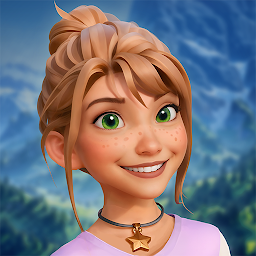


Mia's Merge Adventures is a Puzzle application developed by InnoGames, but with the best Android emulator-LDPlayer, you can download and play Mia's Merge Adventures on your computer.
Running Mia's Merge Adventures on your computer allows you to browse clearly on a large screen, and controlling the application with a mouse and keyboard is much faster than using touchscreen, all while never having to worry about device battery issues.
With multi-instance and synchronization features, you can even run multiple applications and accounts on your PC.
And file sharing makes sharing images, videos, and files incredibly easy.
Download Mia's Merge Adventures and run it on your PC. Enjoy the large screen and high-definition quality on your PC!
🌟 Join Mia and her best friend Elara on an exciting journey through lands filled with mystery, challenges, and the thrill of discovery! 🗺️When Mia receives a mysterious letter from her Grandpa, she knows something is terribly wrong. With Grandpa missing and his village in trouble, it’s up to Mia and Elara to restore the village and uncover the secrets hidden within.
Key Features:
🧩 Merge Items:
Combine items to create new and exciting objects. Discover countless combinations and enjoy the satisfaction of merging items to help rebuild the village and aid in your quest.
🌍 Explore the World:
Use energy to explore diverse and beautiful landscapes. Each new area offers unique challenges and rewards. Immerse yourself in stunning visuals as you explore the enchanting world.
🏘️ Restore the Village:
Bring Grandpa’s village back to life! Clean up and restore various parts of the village, each with its own unique story. Help friendly villagers get their homes back! From Grandpa’s place to the entire village, every corner needs your touch.
🔮 Unveil Mysteries:
Clear the fog surrounding the village and beyond to unlock new areas and discover clues about Grandpa’s whereabouts. Each new discovery brings you closer to unraveling the mystery.
📜 Follow the Story:
Experience a heartwarming story that begins with a simple letter and evolves into an epic adventure. Grandpa’s call for help sets the stage for an unforgettable journey filled with friendship, courage, and determination.
👭 Team Up:
Mia and Elara are the perfect team for this monumental task. Together, they will face challenges, uncover secrets, and restore the village to its former glory.
🎒 Pack your bags and join Mia and Elara on their journey. Grandpa needs your help, and the village can’t be restored without you! 🌟







