
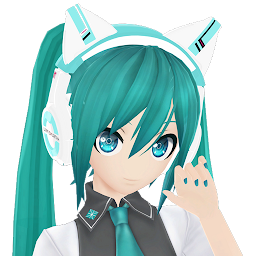


MMD Proyecto Diva is a Music application developed by Ultima Ilusion, but with the best Android emulator-LDPlayer, you can download and play MMD Proyecto Diva on your computer.
Running MMD Proyecto Diva on your computer allows you to browse clearly on a large screen, and controlling the application with a mouse and keyboard is much faster than using touchscreen, all while never having to worry about device battery issues.
With multi-instance and synchronization features, you can even run multiple applications and accounts on your PC.
And file sharing makes sharing images, videos, and files incredibly easy.
Download MMD Proyecto Diva and run it on your PC. Enjoy the large screen and high-definition quality on your PC!
MMD Proyecto Diva, esta aplicación permite selección hasta tres artista mmd, una canción y un escenario, luego visualizarlo en pantalla, o con realidad aumentada (AR), o con Realidad Virtual (VR).Los artistas que puedes seleccionar son : Miku, Kaito, Rin, Len. Yandere, Sailor Moon, Tuxedo Mask
Las canciones que puedes seleccionar son: DeepBlueTown, Electric Angel, FreelyTomorrow, Hare Hare Yukai, HappyHalloween, Kokoro Kiseki, Kokoro Kiseki Mix, Levan Polkka, MirishiraRomeoCinderella, Moster, Moonlight Densetsu, Popipo, Smoke And Mirrors y Unravel (Tokyo Ghoul).
debido a que algunos usuarios reportaron problemas al descargar las expansiones, también puede hacerse de forma manual
Instalación manual de paquetes
Si por algún motivo no puede hacer la instalación desde la aplicación, puede hacerlo manualmente
1) Descargue los paquetes de expansión de Google, Mega o Mediafire (use cualquiera de los tres)
https://drive.google.com/drive/folders/1E1BmuopI13TMokca7psCFbye0CiESlqG
https://mega.nz/folder/nRJwwYiL#e8gDewBV9GtiDFDPG1CcTA
https://www.mediafire.com/folder/ai296tgk88lwv/MmdProyectoDiva
2) los archivos descargados están comprimidos en Zip (assetpackexpancion01.zip), es necesario descomprimir (click derecho/Extraer todo...), luego de la descompresión se obtendrán 3 archivos como ser: assetpackexpancion01.manifest, assetpackexpancion01.txt y assetpackexpancion01.unity3d
3) Los archivos extraidos deben copiarse al teléfono en la siguiente ruta: AlmacenamientoInterno/Android/data/com.IlusionesIndustriales.MMDProyectoDiva/files/GoogleDriveFile/
Si la carpeta “GoogleDriveFile” no existe es necesario crearla, siguiendo con el ejemplo debería quedar del siguiente modo:
../files/GoogleDriveFile/assetpackexpancion01.manifest
../files/GoogleDriveFile/assetpackexpancion01.txt
../files/GoogleDriveFile/assetpackexpancion01.unity3d
Saludos.







