![Online claw machine [OSHIKURE]](https://play-lh.googleusercontent.com/s2VShxZFOLou5-8YoPLvklUZVMz_1PyDJpIMc6n-NIZZjTE5pFYLAnmQOVJwKjAEhFQ=w256)


Online claw machine [OSHIKURE] is a Arcade application developed by 有限会社アクアリーフ, but with the best Android emulator-LDPlayer, you can download and play Online claw machine [OSHIKURE] on your computer.
Running Online claw machine [OSHIKURE] on your computer allows you to browse clearly on a large screen, and controlling the application with a mouse and keyboard is much faster than using touchscreen, all while never having to worry about device battery issues.
With multi-instance and synchronization features, you can even run multiple applications and accounts on your PC.
And file sharing makes sharing images, videos, and files incredibly easy.
Download Online claw machine [OSHIKURE] and run it on your PC. Enjoy the large screen and high-definition quality on your PC!
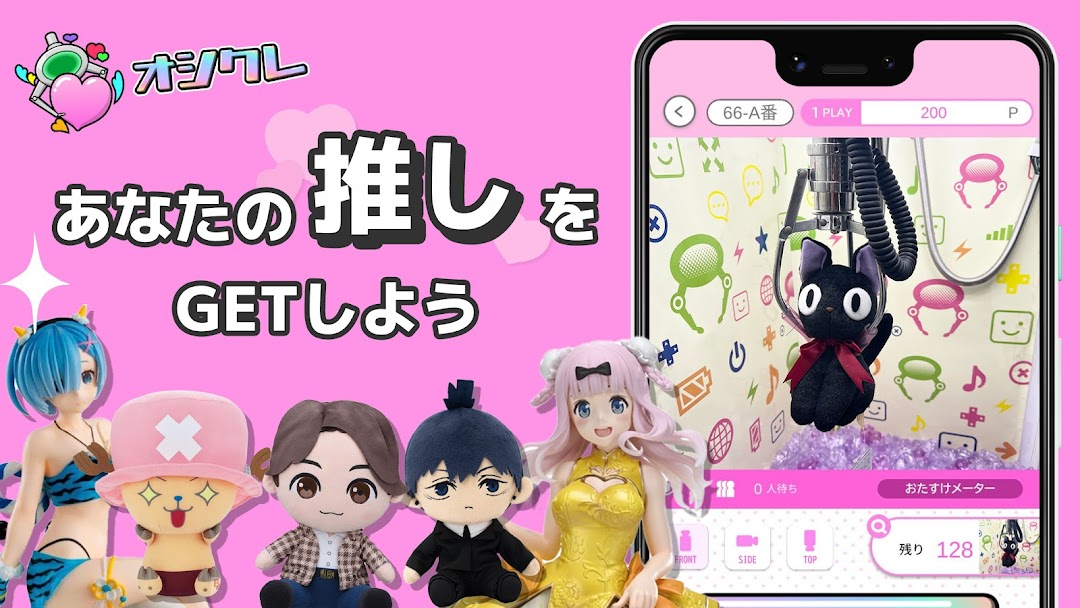
With Osikure, you can play a real crane game (UFO catcher) anytime, anywhere, 24 hours a day, 365 days a year, and as long as you get the items! Delivered to your home! This is a popular crane game app that even beginners can enjoy with peace of mind as the assist function is activated by continuous play!!Let's catch your favorite with the crane!
Osikure offers a wide variety of prizes. We will support your promotion by expanding our prize lineup!
■Osikure, an online crane game app recommended for these people■
・I like crane games and UFO catcher arcade games.
・I'm new to crane games, so I'd like to practice on a free play table.
・I want to enjoy crane games at home or on the go.
・I like UFO catcher and play it often.
・I want to practice crane games online
・I want to play crane games for free with the app
・I like crane games that are easy to operate.
・Even beginner UFO catchers are looking for an app that they can practice and enjoy.
・I want favorite items, I am addicted to favorite activities
・I want figures and character stuffed animals
・I'm always tight and don't have time
・I want to enjoy the popular UFO catcher for free.
・I want to win exclusive prizes for amusement such as popular characters.
・I want rare products that are not available at game centers.
・I want to play crane games with online crane games (ONCRE)
・I want to try a UFO catcher like the one found in game centers for free.
・I want to try out the popular crane game for free using the app.
・Looking for a crane game app where you can operate a realistic UFO catcher
・I want to practice crane games that are popular at arcades.
■What is Osikure? ■
Osikure is an online crane game app where you can enjoy popular arcade crane games and UFO catchers anytime, anywhere.
A variety of popular and recommended items such as realistic Jump series (Shueisha) anime figures (Demon Slayer, etc.), stuffed animals (Anya, etc.), popular character goods, miscellaneous goods, toys, sweets, food, etc. arrive every day.
・Reproduce the realistic operation feeling of crane games!
The video of the play screen uses a high-performance camera.
Delivered in real time, with clear images, UFO Catcher has little time lag and is extremely easy to operate. Intuitive operation allows even first-time users to easily enjoy online crane games.
■How to use the online crane game “Oshikure”■
1. Choose the crane game machine you want to play from the types of crane games and items!
2. Once you decide on the product you want, the game begins!
3. When it's your turn, use the buttons that appear on the play screen to operate a real crane game machine!
4. Get it while having fun!
Even if you don't get it, don't worry because you can continue playing!
5. After winning, it will be delivered to your home! We are also holding a free shipping campaign!
6. Earn free play tickets and points with login bonuses and events!
■Notes■
If the internet environment is unstable, there may be some disruption in the video or a time lag in the operation of the crane game machine.
Please understand that this is an online crane game app and enjoy real crane games in a good internet environment.
Please agree to the terms of use before using the link below.
https://www.mobacure.com/terms
*In principle, maintaining multiple accounts is prohibited.
■Online crane game Osikure official website■
https://www.mobacure.com
■Online Crane Game Oshikure Official Twitter■
https://twitter.com/mobacure
■Online crane game Osikure official YouTube channel■
https://www.youtube.com/@user-xt8jk4rc5w
■Recommended OS■
Android 5.0 or higher
*Please use the latest version of Onkure if possible.
■Recommended communication environment■
LTE(4G)/Wi-Fi environment
*Real-time video streaming and arm operations are required, so the processing will be slow.
We recommend playing in a stable communication environment.
*UFO Catcher is a registered trademark of SEGA Games Co., Ltd.