F11 Football Manager is a Sports game developed by Factótum. LDPlayer is the best platform for playing F11 Football Manager on Windows PC, offering powerful features to enhance your immersive experience in F11 Football Manager.
When playing F11 Football Manager on your computer, the larger screen and more powerful graphics performance enable you to enjoy clearer and smoother game visuals, enhancing the visual experience of the game.
The operation of peripherals such as gamepads is emulated to better mimic the feel of real sports, providing more precise control and richer operation options.
Furthermore, if you wish to execute a series of continuous key combinations, the one-click macro feature will be the functionality you've been dreaming of, allowing you to effortlessly stay one step ahead with one-touch operation. Start downloading and playing F11 Football Manager on your computer now!
Welcome to F11 Football Manager (MFM)!The definitive football simulation and management game. Take control of a team from the top leagues in Argentina, Brazil, Spain, Italy, England, Germany or France, and take them to the top. Are you ready to become the best soccer manager?
⚽ TACTICS AND STRATEGIES
Your team, your rules. Choose the starting 11, define your tactics, adjust the style of play, marking, passing, pressing and aggressiveness. Train your players, take care of them if they get injured and study your rivals to surpass them in each match.
🏟️ STADIUM MANAGEMENT
Grow your club by improving the stadium. Increase capacity and optimize facilities to generate more revenue and improve the fan experience.
👥HIRE THE BEST
Surround your team with the best professionals. From coaches and scouts to psychologists, physiotherapists and assistants. A well-managed team is key to success!
💼 FINANCE AND BUDGET
Carefully manage your budget to avoid financial problems. Keep the club in the green while facing the financial challenges of a true football manager.
👕 STAFF MANAGEMENT
Renew contracts, loan players or put them up for sale. You can also look for promising young people in the academy and train them to be the stars of the future. You can even change the numbers to your liking!
🔄 TRANSFER MARKET
Explore the transfer market in search of the best players. Check the lists of transfers and loanable players or look for specific signings to strengthen your team.
📊 RELATIONSHIP WITH THE MANAGEMENT
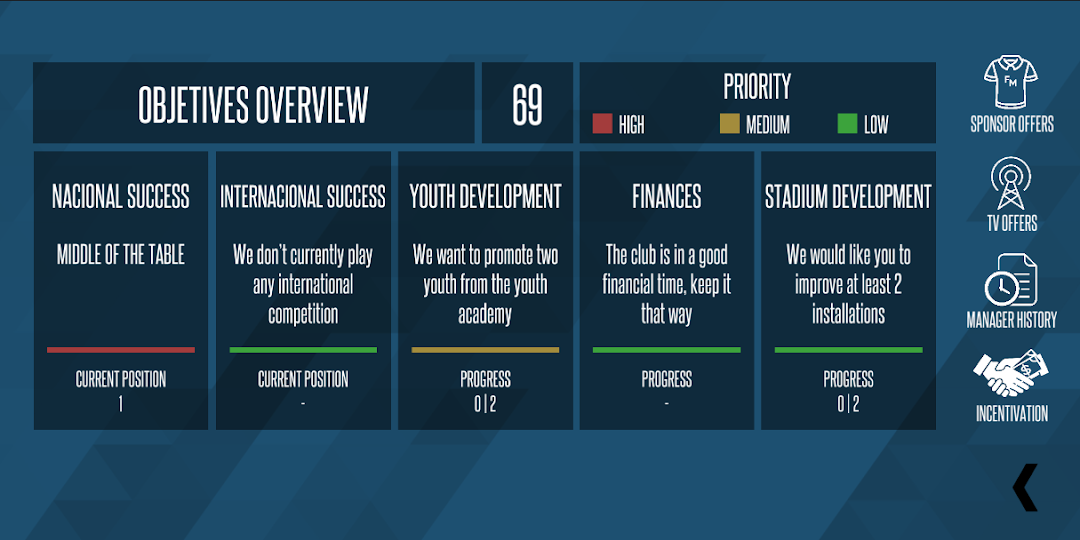
Accept offers from TV and sponsors, manage the relationship with the board and fans, and motivate your players. Meet the objectives of the season to ensure the trust of the president and the fans.
🏆 LEAGUES AND COMPETITIONS
Check the leaderboards for national leagues as well as international tournaments. Make history by taking your team to the top!
Download F11 Football Manager now and prove that you can be the best football coach and manager in the world. The championship awaits you!