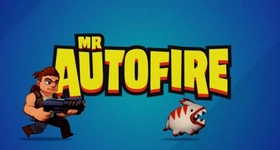
Mr Autofire is a Action game developed by Lightheart Entertainment, and LDPlayer is the best platform for playing Mr Autofire on PC, offering powerful features to immerse you in the game.
When playing Mr Autofire on computer, you can adjust frame rate settings for smooth gameplay and stunning visuals.
LDPlayer also provides pre-configured keyboard mapping for convenient control of the entire game. Continuous optimization of keyboard mapping enhances key sensitivity and skill accuracy. Additionally, LDPlayer offers special buttons like shoot, hide mouse, and continuous key press for an enhanced gaming experience.
If you prefer using a gamepad, the automatic gamepad detection allows you to customize controls with just a few clicks, enabling you to freely maneuver your hero. Start downloading and playing Mr Autofire on your computer now!
The fabric of reality is in shreds and monsters are pouring in! Become Mr. Autofire and bring your biggest gun and all of your bullets, because you’re the… Defender of Everything!SHOOT YOUR WAY FORWARD
Tear through dangerous alien-packed worlds in a fast, furious action platform shooter where every jump, dodge, and shot counts. Mr Autofire throws you into nonstop run-and-gun combat with explosive firefights, tough boss battles, and split-second decisions that can turn total disaster into one-man-army victory.
GEAR UP AND LOCK IN
Every run makes you stronger. Unlock new heroes, collect fresh gear, upgrade your weapons and arsenal, and discover combinations that transform your firepower from dangerous to downright irresponsible. Whether you like speed, durability, raw damage, or clever synergy with perks, there’s always another build waiting to break the battlefield open.
JOIN FORCES AND CONQUER WORLDS
When the guns get hotter and the enemies get nastier, it’s time to call in the guild. Join forces with other players, take on demanding endgame challenges, and fight for rewards that prove your crew was built for the big leagues.
TAKE THE FIGHT ANYWHERE
No signal? No problem. Mr Autofire delivers offline play packed with high-speed shooter action, fast mobile sessions, and roguelike run variety that changes the fight every time you step back into the blast zone.
Connect with us:
Twitter: twitter.com/MrAutofire
Facebook: facebook.com/mrautofire