

MUMAD is a Role Playing game developed by AZD Games, and LDPlayer is the best platform for playing MUMAD on Windows PC, offering powerful features for an immersive experience.
When playing MUMAD on PC, as a new player looking to start with a fresh account, the multi-instance and sync features are extremely useful for rerolls. You can use them to run multiple instances and begin the synchronization process. Bind your account until you draw the desired heroes.
In addition, operation recorder is great for games that require you to level up and complete tasks! Run the sync and record your actions, then repeat the main instance's actions in real-time. By doing so, you can run 2 or more accounts simultaneously. You can always get the heroes you want before others by faster rerolls and more efficient summoning! Start downloading and playing MUMAD on your computer now!
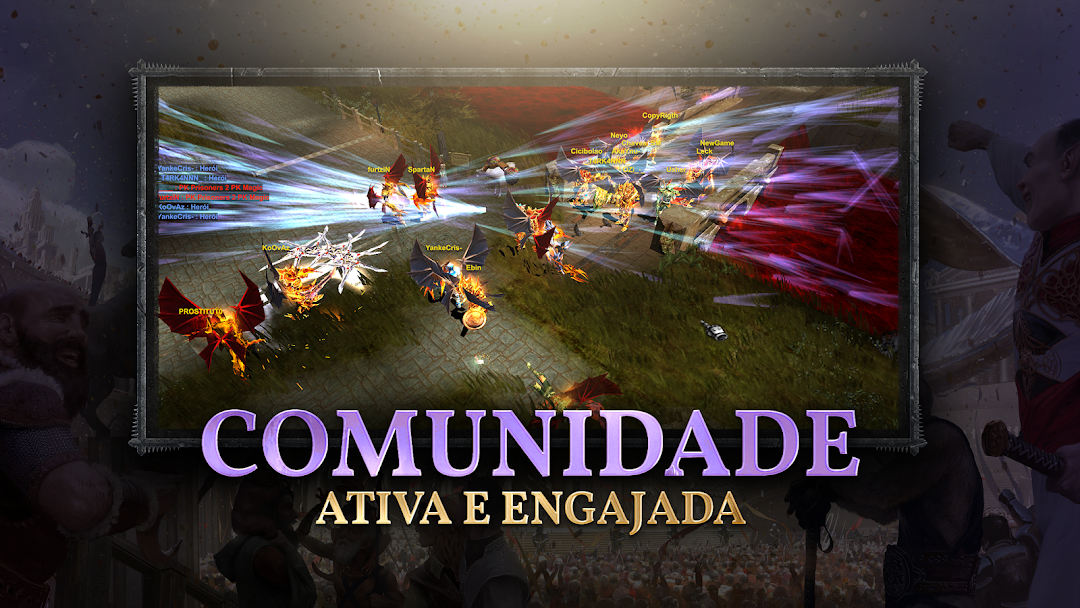
O MUMAD, criado em 2009, está de volta com uma versão nostálgica que combina os desafios e as características clássicas que marcaram a era de ouro dos MMORPGs. Para quem busca uma experiência autêntica e fiel aos tempos antigos, o servidor oferece uma jornada épica em um mundo medieval repleto de aventuras, batalhas PvP intensas e mecânicas retrabalhadas que colocam à prova a habilidade dos jogadores.▶ INFORMAÇÕES BÁSICAS
→ Versão Downgrade: Inspirada na lendária versão 97d, trazendo de volta o melhor do clássico.
→ XP Dinâmico: Com XP de 3.000 e drop de joias baixo, o progresso no jogo é fluido e emocionante, equilibrando o desafio com a diversão.
→ Joias Obtidas em Jogo: Não haverá venda de joias no NPC – os jogadores precisarão farmar ou participar de eventos para conquistá-las.
→ Itens do Shop: Todos os itens adquiridos virão +0 e sem Life, exigindo dedicação para evoluí-los.
→ Upgrade de Itens: Será possível upar itens até +15, mas com risco de falha que pode volta-los para +0.
→ PvP Competitivo: O foco do PvP será principalmente em batalhas de BK x BK, com o sistema de Draw, mantendo o equilíbrio e a competitividade entre jogadores.
→ Sem Bugs de TS ou SH: Garantindo uma experiência justa, especialmente para quem joga no mobile, sem as falhas que poderiam comprometer o gameplay.
→ Diversidade de Classes: Além dos BKs, outras classes terão seu destaque, com eventos personalizados, oportunidades de UP e muito mais.
→ Eventos Diários: Participe de eventos diários com a equipe do servidor, garantindo sempre atividades emocionantes e recompensas incríveis.
→ Sincronização entre Plataformas: Tudo o que você faz no mobile é sincronizado com o PC, permitindo que você jogue como preferir, de forma contínua entre dispositivos.
→ 100% fiel ao clássico jogo para PC MU Online, mantendo toda a sua essência, com cenários mais detalhados, jogabilidade mais fluida e um mundo MU ainda mais realista para você explorar livremente.
→ Desfrute da experiência nostálgica do lendário MuOnline em seu mobile ou PC.
Seja você um veterano ou um novo aventureiro, o MUMAD oferece a oportunidade de reviver momentos épicos e enfrentar novos desafios. Baixe o jogo agora e embarque nessa jornada lendária!
* Mais informações em nosso site.