

My Town : Shopping Mall is a Educational application developed by My Town Games Ltd, but with the best Android emulator-LDPlayer, you can download and play My Town : Shopping Mall on your computer.
Running My Town : Shopping Mall on your computer allows you to browse clearly on a large screen, and controlling the application with a mouse and keyboard is much faster than using touchscreen, all while never having to worry about device battery issues.
With multi-instance and synchronization features, you can even run multiple applications and accounts on your PC.
And file sharing makes sharing images, videos, and files incredibly easy.
Download My Town : Shopping Mall and run it on your PC. Enjoy the large screen and high-definition quality on your PC!
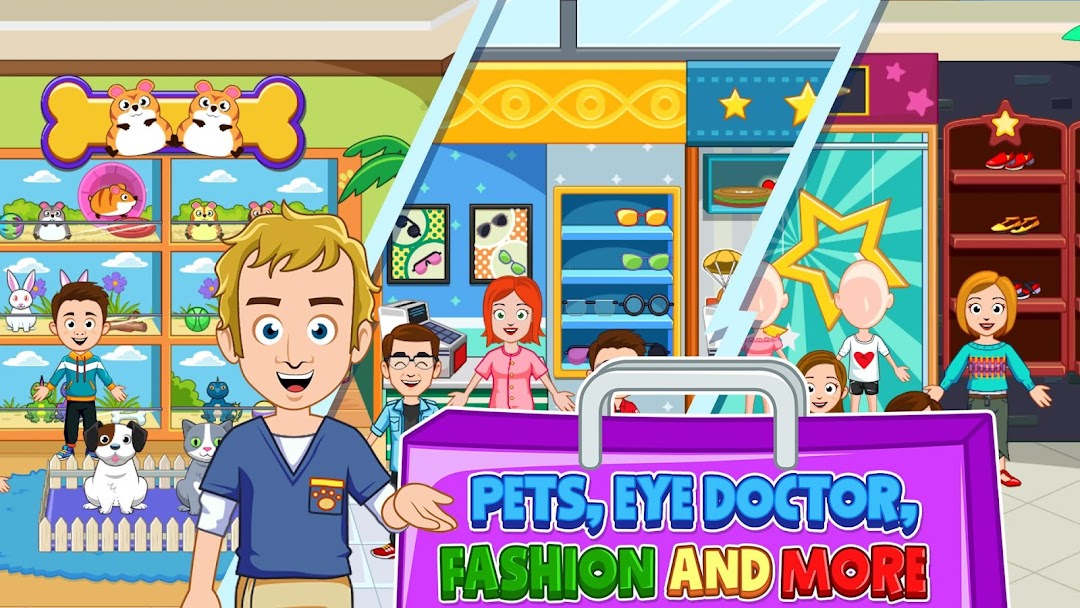
*** Pay once & Play forever + receive FREE updates! No ads and no IAP ***Don’t have all your gifts for the holiday season? No need to worry, the My Town : Shopping Mall is now open! Grab your tote bags and visit any one of the many stores for everyone on your list, but don’t forget to also get your photos taken with Santa! Have you been dreaming about a new phone or tablet? Stop by the mobile store! There are clothing stores where you can try on the latest trends, stores for the new babies in your life, and music stores where you can live out your rock star dreams! Have you seen an eye doctor recently? Stop by the glasses store to pick up some fresh new frames! We know all this shopping will make you hungry, so come pick up your favorite meals in our large food court!
No matter which store you choose to explore, there are HOURS of fun ahead with THREE floors stocked with stores!!
Game Features:
- This game is connected to all our latest My Town games
- Santa is visiting the Mall, Come say Hello!
- 3 Floors of Mall Fun with ton's of stores to play with such as Cake store, Baby store, Mobile store, pets store, Music store and more...
- New characters you can take to our other connected games.
- Food and Arcade are waiting for you on the top floor!
- Connected to all our latest games
- A multitouch feature, Kids can play together on the same tablet!
- Kids safe - No Ads or 3rd party tracking
RECOMMENDED AGE GROUP
Kids 4-12: My Town games are safe to play even when parents are out of the room.
ABOUT MY TOWN
The My Town Games studio designs digital dollhouse-like games that promote creativity and open ended play for your children all over the world. Loved by children and parents alike, My Town games introduce environments and experiences for hours of imaginative play. The company has offices in Israel, Spain, Romania and the Philippines. For more information, please visit www.my-town.com