Nekopara Sekai Connect
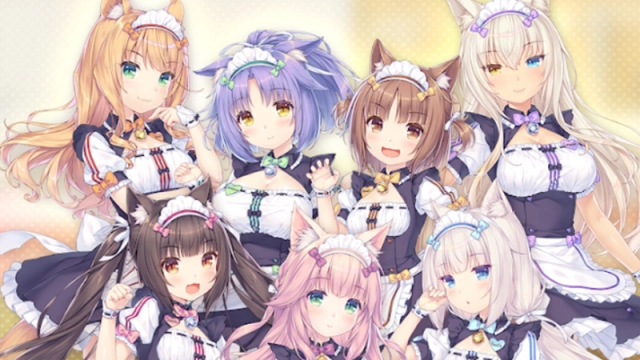
Introduction Welcome back to La Soleil! The beloved adventure game series that sold over 6.5 million copies worldwide is back with an all-new, heartwarming story. Nekopara Sekai Connect (Neko Connect) brings together adorable AI-created felines from across the globe. As the owner of the famous patisserie, you and your Nekos are invited to the ultimate global competition: the Neko Festival. Featuring stunning character illustrations by the original creator, Sayori, this game blends a fully voiced visual novel experience with semi-auto RPG battles, sandbox shop building, and an exclusive rhythm game mode. Laugh, cry, and grow closer to your Nekos in this purr-fect new adventure!
Core Gameplay & Features
-
Stunning 2D Animations & Art: Experience breathtaking, high-quality 2D animations that bring Sayori's beautifully illustrated Nekos to life like never before.
-
Fully Voiced Storyline: Dive into a brand-new main story and intimate character episodes, completely voiced to immerse you in this near-future world.
-
Diverse Game Modes: Enjoy a relaxing mix of gameplay. Engage in easy-to-learn semi-auto battles, build and customize your own shop with sandbox-style mechanics, and tap along to a dedicated rhythm game featuring exclusive music videos.
-
Global Neko Cast: Connect with a wide variety of unique, charming Nekos from all around the world, each with their own distinct personalities and backgrounds.
-
The Neko Festival: Compete in a worldwide event where Nekos and their owners vie for popularity, aiming for the ultimate prize: any wish granted by the Neko-creating AI.
Players love Nekopara Sekai Connect for its relaxing atmosphere, top-tier anime aesthetics, and the delightful variety of gameplay modes that keep the daily interactions with the Nekos fresh and engaging.
Play Nekopara Sekai Connect on PC with LDPlayer for Best Experience
-
Immersive Big Screen Visuals: Do not compromise on Sayori's gorgeous artwork. Enjoy the high-quality 2D animations, detailed character designs, and fully voiced story episodes in stunning high-definition on a large PC monitor.
-
Precision Keyboard Controls for Rhythm Mode: Touchscreens can be unreliable for rhythm games. Map the music beats directly to your keyboard for perfect timing, flawless combos, and the highest scores in the exclusive music video stages.
-
Multi-Instance for Neko Collection: Want to start with your favorite felines? Use LDPlayer’s Multi-Instance feature to run multiple accounts simultaneously, making the character reroll process incredibly fast and efficient at launch.
-
Battery-Free Shop Management: Designing your patisserie and farming materials in semi-auto battles takes time. Keep the game running smoothly in the background on your PC without worrying about your phone's battery drain or thermal throttling.
-
Lag-Free Performance: LDPlayer ensures stable frame rates, delivering a seamless experience whether you are watching a dynamic music video or transitioning between story scenes.
Build your dream patisserie, master the rhythm, and bond with adorable felines from around the world—download Nekopara Sekai Connect on PC and enjoy the ultimate Neko experience with LDPlayer!