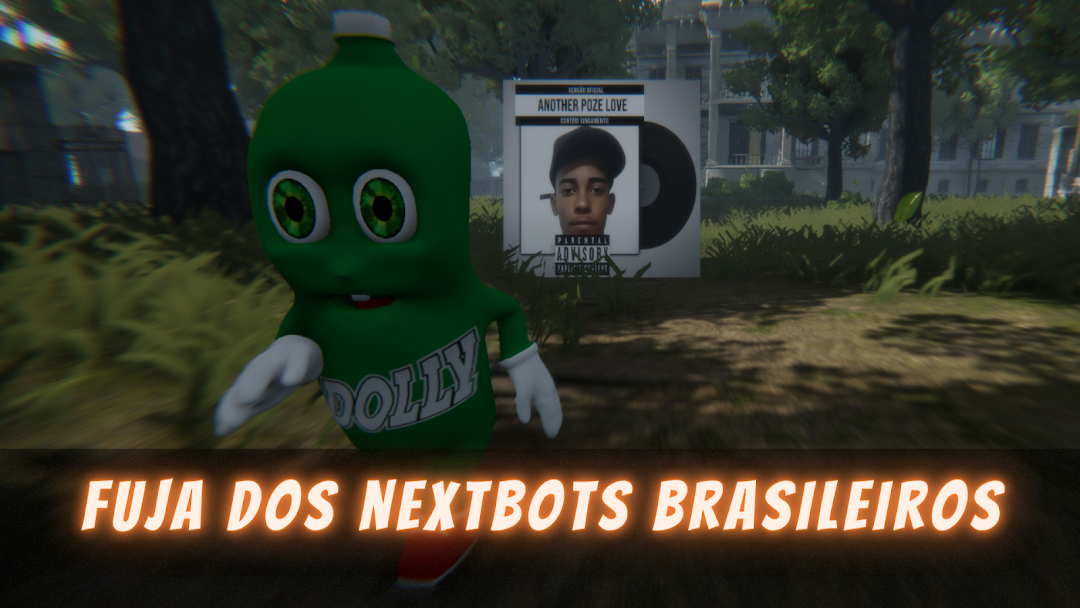
Nextbots Memes BR: Online/MP is a Action game developed by Maxwell Freire, and LDPlayer is the best platform for playing Nextbots Memes BR: Online/MP on PC, offering powerful features to immerse you in the game.
When playing Nextbots Memes BR: Online/MP on computer, you can adjust frame rate settings for smooth gameplay and stunning visuals.
LDPlayer also provides pre-configured keyboard mapping for convenient control of the entire game. Continuous optimization of keyboard mapping enhances key sensitivity and skill accuracy. Additionally, LDPlayer offers special buttons like shoot, hide mouse, and continuous key press for an enhanced gaming experience.
If you prefer using a gamepad, the automatic gamepad detection allows you to customize controls with just a few clicks, enabling you to freely maneuver your hero. Start downloading and playing Nextbots Memes BR: Online/MP on your computer now!
🎮 Nextbots Memes BR: The perfect game for those who love Brazilian memes and exciting challenges!Available for Android and Windows.
🪙 Your goal? Collect as many coins as possible while trying to survive!
Each coin you collect increases the difficulty, adding new Nextbots to the map—all based on the most iconic, nostalgic, and current Brazilian memes. 😎
🌍 Game Modes
🔹 Campaign / Offline
Explore huge maps and discover unique Easter eggs.
Collect the legendary Easter Island Heads to unlock exclusive characters (offline mode only!).
Choose between first- or third-person.
🔹 Multiplayer / Online
Compete against players from around the world in the global rankings!
Collect coins, clocks, and hearts to earn points.
With each coin collected, a new Nextbot appears, increasing the challenge and the adrenaline rush.
🗺️ Maps and Environments
Huge main map, packed with secrets and insane chases.
New map: Backrooms 🟨 — A randomly generated maze with yellow walls and a mysterious atmosphere.
Realistic day, evening, and night cycles for even greater immersion.
🏠 Survival Tips
Use the houses scattered throughout the map as strategic shelter.
Explore every corner — each room could be your salvation (or your downfall!).
⭐ Why play Nextbots Memes BR?
🎨 Immersive graphics and detailed environments that blend humor and suspense.
😂 Unique Nextbots, inspired by the most beloved Brazilian memes.
🔥 Progressive difficulty: each coin makes everything more intense.
🧑🤝🧑 Various modes: play solo, with friends, or challenge the world online.
🚀 Ready for the challenge?
Download Nextbots Memes BR now and dive into a universe of memes, action, and lots of fun.
Show off your skills and reach the top of the rankings! 🏆