
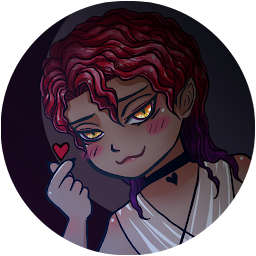


Night Town (Otome/BL game) is a Simulation application developed by PlusHP, but with the best Android emulator-LDPlayer, you can download and play Night Town (Otome/BL game) on your computer.
Running Night Town (Otome/BL game) on your computer allows you to browse clearly on a large screen, and controlling the application with a mouse and keyboard is much faster than using touchscreen, all while never having to worry about device battery issues.
With multi-instance and synchronization features, you can even run multiple applications and accounts on your PC.
And file sharing makes sharing images, videos, and files incredibly easy.
Download Night Town (Otome/BL game) and run it on your PC. Enjoy the large screen and high-definition quality on your PC!
This is the full version of offline game Night Town. The game can be played as Otome or BL (gay/yaoi) game. It has anime boys and girl available as romance paths, LGBT friendly as your pronouns are never mentioned.*****Story*****
"In Night Town, the world around you is filled with dangers, you don't know when you will disappear. What are you going to do? Give up? Indulge in pleasures? Living like there's no tomorrow, not caring whether your actions are good or bad, because after death it will be the end?
Or try to live a normal life, avoid the reality around you, try to prove that you are not like those depraved people. But the truth is, you've long gone insane.
All the things that cause you to be pessimistic, easily make you miss something important...
In this game you're a resident of Night Town, a town where sleeping at night is taboo.
What's really happening there?
The game addresses the issue as subtle and bright as possible, it won't be too dark on the road ahead. There is mystery, and there is love.
So, how will you choose?"
*****Features*****
Estimated total play time: 3-5 hours
Original Arts by artist
Partially voiced
4 main routes/romanceable characters (1 true ending and 1 secret route) with:
4 good endings (with a total of 7 variations)
3 normal endings
7 bad endings
*****Notes*****
By downloading the game, you agree to the End-User License Agreement
Additional tags: Memory loss (amnesia), dark, demon, magic, mystery, romance, lgbt.







