
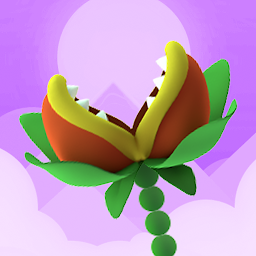


Nom Plant is a Arcade application developed by Lucky Kat, but with the best Android emulator-LDPlayer, you can download and play Nom Plant on your computer.
Running Nom Plant on your computer allows you to browse clearly on a large screen, and controlling the application with a mouse and keyboard is much faster than using touchscreen, all while never having to worry about device battery issues.
With multi-instance and synchronization features, you can even run multiple applications and accounts on your PC.
And file sharing makes sharing images, videos, and files incredibly easy.
Download Nom Plant and run it on your PC. Enjoy the large screen and high-definition quality on your PC!
🌱 Nom Plant: The Ultimate Growing Adventure Awaits! 🌱Get ready to be rooted in the most captivating plant journey ever! Nom Plant beckons you to the world of hyper-casual gaming with a twist. Tap, grow, and dodge your way through an endless array of obstacles and see how long you can stretch your plant to the skies.
What’s Inside:
✨ One-Touch Wonder: With intuitive one-touch controls, immerse yourself in a seamless gaming experience that's as natural as the art of planting itself.
✨ Stunning Visuals: Dive into a world of beautiful HD graphics that bring your garden adventure to life. Watch as your Nom Plant sways with elegance and vitality.
✨ Infinite Growth: No pot can contain you! Guide your Nom Plant through a maze of challenges, and eat your way to new records.
✨ Ad-Fueled Power: No need for in-app purchases. Watch ads and gain the boosts you need to make your Nom Plant thrive even further.
Why Play Nom Plant?
🍃 Gardening with a Gamified Twist: Combine your love for plants with the excitement of gaming. Grow plants like never before - stretch them through a course of delightful obstacles!
🍃 Earn as You Learn: Collect coins and learn the ropes of virtual gardening that brings you closer to the green thumb you've always wanted to be.
🍃 Non-Stop Action: With Nom Plant, there's no wilting away. Stay on your toes with dynamic obstacles that require sharp reflexes and a keen eye.
🍃 No End to the Fun: The longer you grow, the more the game unfolds. There’s always a new high score to chase and more fun to unearth!
Your Gardening Odyssey Starts Now!
Nom Plant isn't just about growing; it's about thriving in a world where every inch counts. Perfect for players who relish in gardening, flowers, and the thrill of hyper-casual gaming. Whether you're in your cozy home or out in the garden, take your plant on an epic journey and watch it soar past the rest.
Download Nom Plant now and let your love for planting, flowers, and gardening bloom like never before!







