Omniheroes Overview
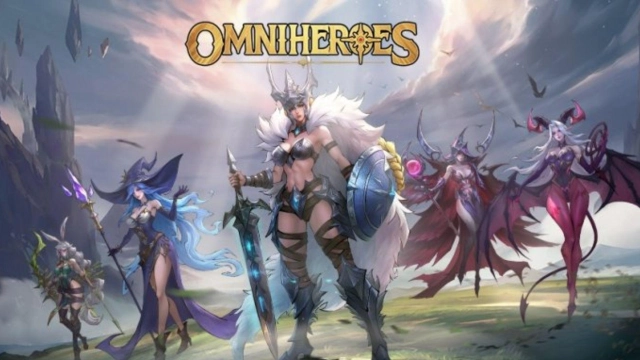
Dear Omniguardians, our world awaits your salvation! Through the darkness, rescue the captive Valkyries from demons and fight together against evil threatening the world! Omniheroes is a strategic RPG game set in a medieval fantasy world where you embark on an adventure between the demonic and divine, in a realm ruled by swords and sorcery. Join forces with legendary heroes, unlock synergies, and engage in thrilling battles with summoners worldwide!
Omniheroes Features:
- Chillax or Strategize with Enchanting Valkyries: Immerse yourself in the mesmerizing new concept art style that takes you to a medieval fantasy world. Follow the Omniguardian Odysseus, sign contracts with different styles of valkyries, and embark on an epic adventure filled with swords, sorcery, and legend.
- Assemble 100+ Legendary Heroes: Witness the power and beauty of over 100 enchanting valkyries, meticulously designed and modeled by top-tier graphical artists. Unleash their spectacular skills in stylish 2D graphics and create an unstoppable team.
- Match Multiple Synergy Comps at Will: Experience the thrill of strategic battles as you match over 100 hero team compositions and stack powerful battle buffs. Activate diverse synergies and turn adversity into your advantage with just a few taps, delivering devastating blows to your enemies.
- Interact to Unleash Valkyries' Charisma: Dive deeper into the world of Omniheroes in the Valkyrie Manor. Heal war-injured Valkyries, build emotional bonds, unlock multiple skins, and discover their hidden charisma beyond the battlefield.
Play Omniheroes on PC:
- Chillax or Strategize with Enchanting Valkyries: Enjoy the immersive world of Omniheroes on a larger screen and fully appreciate the intricate art style and design. LDPlayer offers a seamless gaming experience on your computer, allowing you to delve into the medieval fantasy realm with ease.
- Match Multiple Synergy Comps at Will: Take advantage of LDPlayer's superior controls and precision mouse movements to effortlessly manage and activate diverse synergies. With the precision of a mouse, you can unleash devastating combinations and conquer your enemies more effectively.