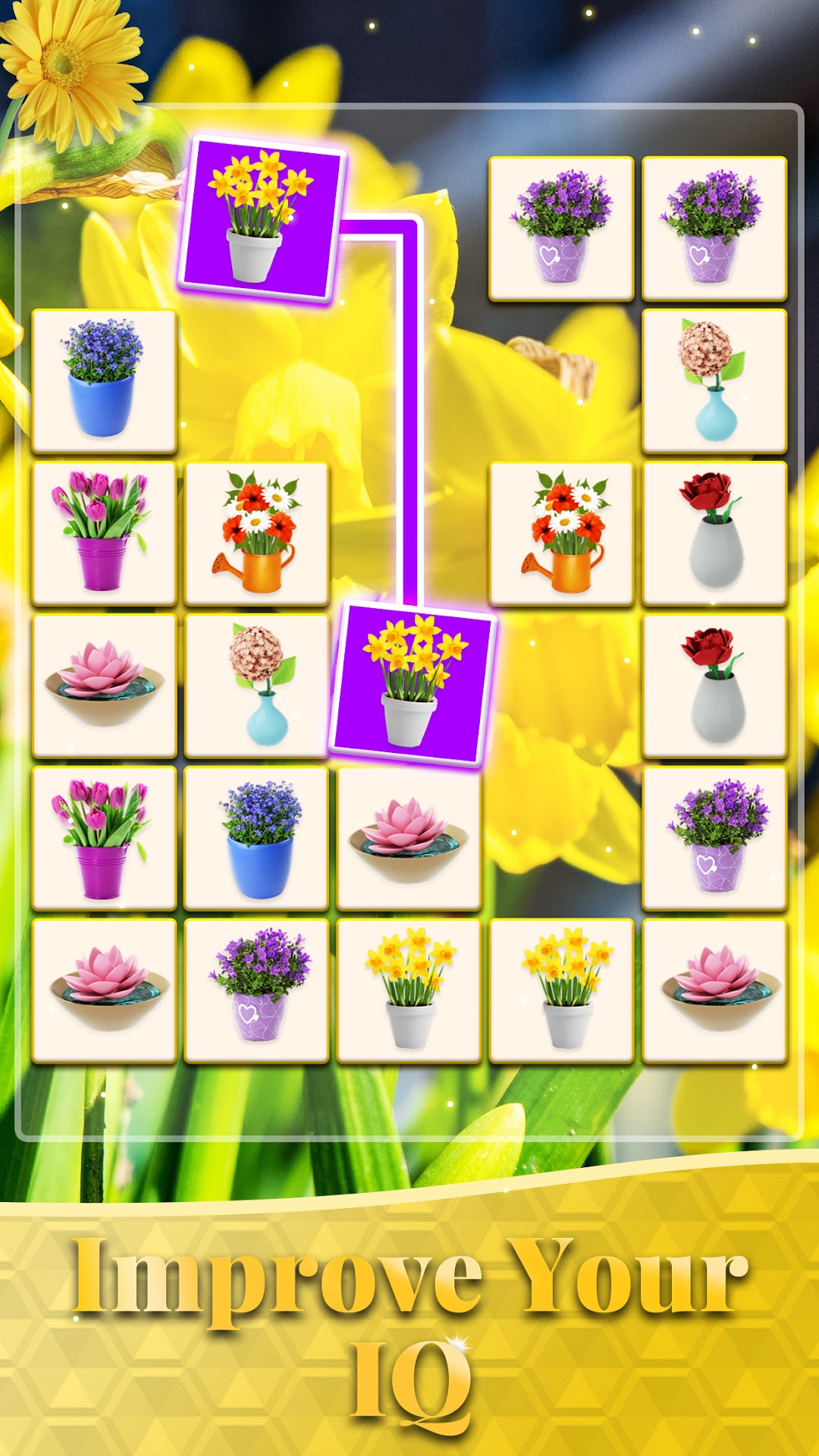
Onet 3D - Tile Matching Game is a Board application developed by Metajoy, but with the best Android emulator-LDPlayer, you can download and play Onet 3D - Tile Matching Game on your computer.
Running Onet 3D - Tile Matching Game on your computer allows you to browse clearly on a large screen, and controlling the application with a mouse and keyboard is much faster than using touchscreen, all while never having to worry about device battery issues.
With multi-instance and synchronization features, you can even run multiple applications and accounts on your PC.
And file sharing makes sharing images, videos, and files incredibly easy.
Download Onet 3D - Tile Matching Game and run it on your PC. Enjoy the large screen and high-definition quality on your PC!
Welcome to Onet 3D - Tile Matching Game, the ultimate casual mobile matching tiles game designed with vibrant colors and clear images, perfect for seniors! Immerse yourself in a world of fun and challenge as you embark on a journey to match pairs of identical tiles in Onet 3D!Have you been looking for the mahjong board or classic link puzzle games to pass the time? The best choice is Onet 3D! Onet 3D is a classic tile match game, often likened to the elegance of mahjong, provides a simple yet satisfying challenge. Onet 3D also provides a perfect zen balance of challenge and relaxation, making it an ideal choice for players of all ages, especially seniors. Whether you're a seasoned player or new to the matching puzzle game genre, Onet 3D offers an accessible and thoughtful experience.
💡 How To Play 💡
🎯 The goal is to match pairs of identical tiles by linking or connecting them within three lines.
⚠️ Scan and identify matching tiles that are close enough to be connected without any other tiles blocking the path.
⏰ Spend less time and connect farther tiles to get 3-star winning.
🥴 Get stuck? Don’t hesitate to use these powerful tools!
-- Use Hint to expose a correct connection when you have no clue.
-- Use Shuffle to rearrange the tiles on the board randomly.
-- Use Bomb to remove 2-4 blocks.
-- Use Skip to overcome the difficult connecting tiles level.
🌟 Features of Onet 3D 🌟
✅ 3D High-Quality Images: Immerse yourself in a visually stunning 3D world with countless beautiful images that enhances the overall gaming experience. The more bright and clear images sharpen the seniors’ eyes. We provide various themes to ensure your day is filled with freshness and care. Such as cute animals, colorful flowers, fresh fruits, and more.
🤗 Designed for seniors: Onet 3D - Tile Matching game is crafted with affection and consideration for seniors. We expand the interface features with large buttons, oversized backgrounds pictures, bigger tiles and easy-to-read letters, even the dark mode for seniors or individuals with visual impairments.
🎊 Monthly-updated events: With seasonally mahjong-styled themed tiles and special gameplay mechanics, more opportunities to earn unique rewards and bonuses.
🏆 Simple yet challenging: Additionally, Onet 3D - Tile Matching Game offers the thrilling Star Tournament where you can compete with other players from around the world. Showcase your tile matching skills, speed, and accuracy. Will you rise to the challenge and become the ultimate Onet 3D champion?
😆Casual Fun for Seniors😆
Onet 3D - Tile Matching Game is a fun and relaxing time killer. Its intuitive controls and straightforward gameplay mechanics make it easy to pick up and play. Whether you're a puzzle enthusiast or a casual gamer looking for a relaxing experience, Onet 3D - Tile Matching Game offers the perfect blend of challenge and enjoyment.
The immersive 3D graphics and captivating tile designs create a visually stunning experience that will keep you engaged. Lose yourself in the intricate details and vibrant colors as you match and connect tiles in the quest for victory.
Are you ready to link, match, and pair your way to victory? Let’s unwind and relax your mind as you immerse yourself in the delightful world of Onet 3D tiles matching puzzle game now!