
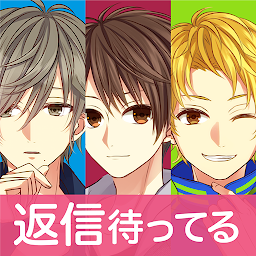


Otome Chat Connection is a Simulation application developed by SEEC Inc., but with the best Android emulator-LDPlayer, you can download and play Otome Chat Connection on your computer.
Running Otome Chat Connection on your computer allows you to browse clearly on a large screen, and controlling the application with a mouse and keyboard is much faster than using touchscreen, all while never having to worry about device battery issues.
With multi-instance and synchronization features, you can even run multiple applications and accounts on your PC.
And file sharing makes sharing images, videos, and files incredibly easy.
Download Otome Chat Connection and run it on your PC. Enjoy the large screen and high-definition quality on your PC!
Receive messages from gorgeous guys!Who will you choose?
‘Hi, do you have time to chat?'
‘What are you doing?'
Gorgeous men would like to chat with you!
A childhood friend, a high school student, a businessman...
All kinds of gorgeous men are sending you messages.
Chat with them to develop relationships with them.
Who knows, they might even ask you out a date...?
With Date Stories featuring full voice acting and illustrations.
Let's enjoy hearing the voice of your favorite character.
This is the perfect game for players who would like to develop their relationships with many gorgeous guys!
▼ Character Voice Acting
◆ Game Features
- Free to play!
- The Date Stories feature full voice acting and illustrations!
- After completing the questlines of all the characters, something special will happen between you and your favorite character?
- Perfect for playing when you have some spare time!
◆About Notifications
If you don't want to receive notifications from the app, you can turn it off.
To turn on/off notifications, go to the Top page, tap the Smartphone Icon at the lower right corner, choose the ‘Settings' in the Menu, and tap ‘LIME Notification'.
◆ Perfect for people who:
- Like love romance films, drama series, and novels.
- Like Otome games, manga for girls, and dating sims.
- Like visual novels.
- Like texting games on message apps.
- Like casual games where they can to develop relationships with many characters.
- Would like to chat with gorgeous 'ikemen' guys.
- Would like to have fun with various good-looking guys.
- Like beautiful illustrations.
- Would like to enjoy a game that they can play in their spare time.
- Would like to read love romance stories between gorgeous guys and them.
- And for anyone who enjoys Otome games!







