
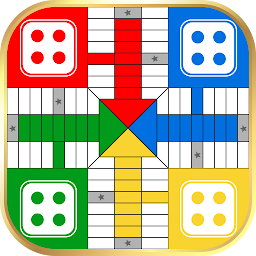


Parchisi is a Board application developed by Yarsa Games, but with the best Android emulator-LDPlayer, you can download and play Parchisi on your computer.
Running Parchisi on your computer allows you to browse clearly on a large screen, and controlling the application with a mouse and keyboard is much faster than using touchscreen, all while never having to worry about device battery issues.
With multi-instance and synchronization features, you can even run multiple applications and accounts on your PC.
And file sharing makes sharing images, videos, and files incredibly easy.
Download Parchisi and run it on your PC. Enjoy the large screen and high-definition quality on your PC!
Step into a world where classic board gaming meets modern convenience with Parchisi - an offline board game designed for 2 to 4 players. Perfect for family game nights or a quick gaming session during a break, this engaging dice game combines the thrill of chance with strategic decision-making for an experience you won’t forget.Begin your journey with four tokens placed in your starting area. Roll two dice and see the magic unfold: a token can enter the board if you roll a 5 on one die, if both dice add up to 5, or if you roll double 5’s. Your challenge? Move all your tokens around the board and safely into the HOME area before your opponents do.
Key Features:
- Bonus Moves: Earn 10 extra moves when a token reaches the finish and 20 extra moves for knocking out an opponent’s token.
- Extra Turns: Rolling doubles awards you with an additional turn.
- Strategic Blocking: Pair two tokens on the same node to create an unbreakable barrier.
- Protected Zones: Tokens in the star position and the starting area remain safe.
Additional Enhancements:
- Single Player Mode: Play against the computer and sharpen your strategy.
- Local Multiplayer: Enjoy offline gaming with friends and family.
- Realistic Dice Animations: Experience lifelike dice rolls that enhance every turn.
- Progress Indicators: Track player advancement with clear percentage displays.
- Shake-to-Roll: Use your device’s motion sensor for a fun, interactive dice roll.
- Adjustable Game Speed: Tailor the game pace to suit your style.
- Intuitive Menu: Easily navigate player selection and settings.
- Multi-Language Support: Available in English, Hindi, Nepali, Spanish, Portuguese, French, Arabic, Indonesian, Russian, Turkish, German, Italian, and more!
Join millions of players rediscovering the joy of classic board games. Download Parchisi now and let every roll bring you closer to victory!







