
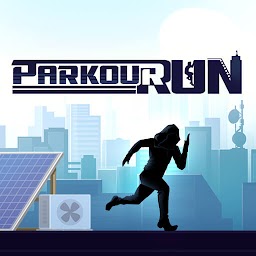


Parkour Run is a Arcade application developed by Quick Apps & Easy Games, but with the best Android emulator-LDPlayer, you can download and play Parkour Run on your computer.
Running Parkour Run on your computer allows you to browse clearly on a large screen, and controlling the application with a mouse and keyboard is much faster than using touchscreen, all while never having to worry about device battery issues.
With multi-instance and synchronization features, you can even run multiple applications and accounts on your PC.
And file sharing makes sharing images, videos, and files incredibly easy.
Download Parkour Run and run it on your PC. Enjoy the large screen and high-definition quality on your PC!
¡Bienvenido a ¡Parkour Run!En este emocionante mundo de parkour urbano, cada movimiento cuenta. Salta de un edificio a otro con precisión, escala estructuras imponentes, gira para esquivar peligros inesperados y deslízate bajo barreras que bloquean tu camino. Cada nivel está diseñado para desafiarte y mantenerte al borde de tu asiento. 🏢👟
Los controles son simples pero adictivos: toca la pantalla para saltar, deslizar o trepar, y observa cómo tu personaje realiza movimientos fluidos y acrobacias impresionantes. Cuanto más lejos llegues, más complejo se vuelve el terreno. Prepárate para enfrentarte a obstáculos dinámicos, giros inesperados y plataformas estrechas que pondrán a prueba tus reflejos.
⚡Explora diferentes entornos urbanos.
Cada escenario tiene su propio estilo y desafíos únicos, asegurando que nunca te aburras mientras corres hacia nuevos récords. 🌃🏭
¿Te gusta competir? Enfréntate a jugadores de todo el mundo en modos de clasificación total, desafío y compara tus puntuaciones en tablas de clasificación globales.
Demuestra que eres el mejor corredor de parkour y alcanza la cima. 🏆🌍
Con gráficos vibrantes, animaciones fluidas y una jugabilidad fácil de aprender, pero difícil de dominar.
Descarga Parkour Run ahora y prepárate para vivir una experiencia llena de velocidad, agilidad y diversión. ¿Hasta dónde puedes llegar? ¡Es hora de descubrirlo! 🚀🌟







