


Pew Pew : Vehicle Warfare is a Casual game developed by YL_Studio. LDPlayer is the best platform for playing Pew Pew : Vehicle Warfare on Windows PC, offering powerful features to enhance your immersive experience in Pew Pew : Vehicle Warfare.
When playing Pew Pew : Vehicle Warfare on your computer, if you find repetitive actions or tasks tedious and time-consuming, fret not! Macro can alleviate your concerns. Simply record your actions with a click of the screen recording feature and let macros take care of the rest. Macros automate your operations, allowing you to effortlessly conquer the game with minimal effort! Start downloading and playing Pew Pew : Vehicle Warfare on your computer now!
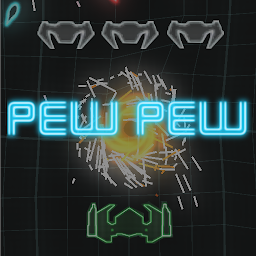
Pew Pew is an action-packed arcade shooter game where you blast your way through waves of enemies in a fast-paced, neon-lit world. Dodge bullets, collect power-ups, and compete for high scores in this addictive and visually stunning experience!"**Long Description:**
"Embark on an adrenaline-fueled journey with Pew Pew, the ultimate arcade shooter game designed to keep you on the edge of your seat! Engage in heart-pounding battles as you navigate through a vibrant, neon-lit universe teeming with relentless adversaries. Test your reflexes and strategic skills as you blast through waves of enemies, each more challenging than the last.
Pew Pew offers a captivating blend of fast-paced action and retro-inspired visuals, immersing players in an electrifying arcade experience. With intuitive touch controls, players can effortlessly maneuver their ship to avoid incoming fire while unleashing a barrage of laser blasts upon their foes. Collect power-ups scattered throughout each level to enhance your firepower and gain the upper hand against your adversaries.
Challenge yourself to climb the ranks and dominate the leaderboards as you compete for the highest scores with players from around the globe. Whether you're a seasoned arcade aficionado or a casual gamer looking for an exhilarating challenge, Pew Pew delivers endless hours of excitement and entertainment.
Key Features:
- Fast-paced arcade action: Dive into intense battles against waves of enemies in a visually stunning neon-lit world.
- Responsive controls: Master the art of precision as you navigate your ship through a barrage of bullets with intuitive touch controls.
- Power-ups galore: Collect various power-ups to upgrade your weapons and gain the edge in combat.
- Global leaderboards: Compete against players worldwide and showcase your skills as you climb the ranks to become the ultimate Pew Pew champion.
- Endless replay value: With procedurally generated levels and challenging gameplay, no two playthroughs are ever the same.
Get ready to immerse yourself in the adrenaline-pumping thrill ride that is Pew Pew! Are you ready to unleash destruction and claim your place among the stars?







