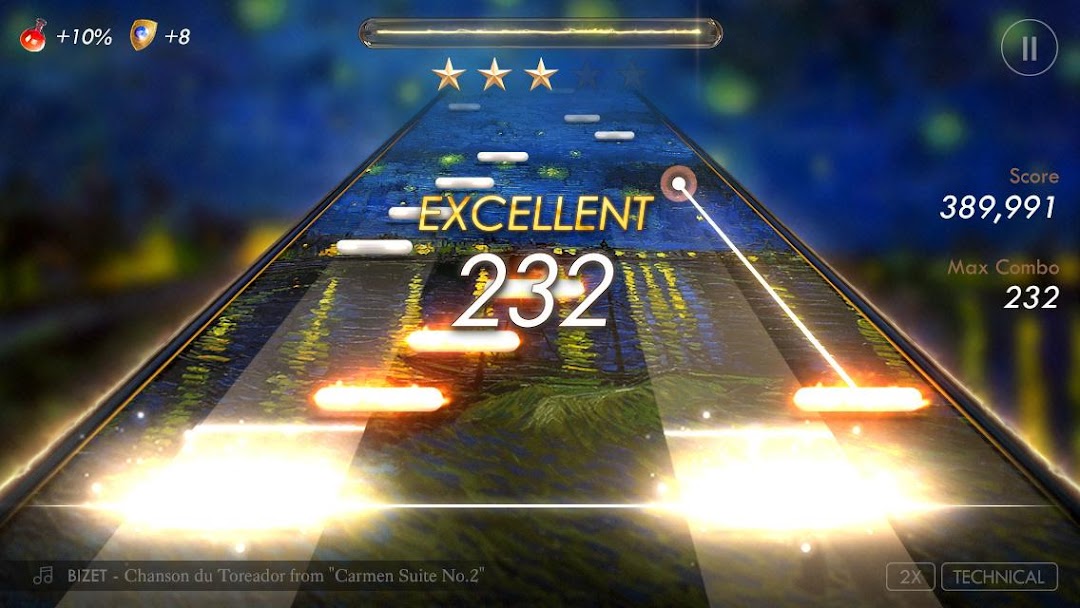


Pianista is a Music application developed by PianistaCompany, but with the best Android emulator-LDPlayer, you can download and play Pianista on your computer.
Running Pianista on your computer allows you to browse clearly on a large screen, and controlling the application with a mouse and keyboard is much faster than using touchscreen, all while never having to worry about device battery issues.
With multi-instance and synchronization features, you can even run multiple applications and accounts on your PC.
And file sharing makes sharing images, videos, and files incredibly easy.
Download Pianista and run it on your PC. Enjoy the large screen and high-definition quality on your PC!
PIANISTA – Invitation To Classical MusicPlay now the ultimate music game experience with PIANISTA!
[Classical Music]
PIANISTA is the worldwide phenomenal mobile game, wide open to all ages and all levels of game-players.
Now let's play the masterpiece songs of legendary composers on mobile!
[Worldwide League]
Now you can play and compete against other Pianists (game-players) worldwide at the League mode.
Songs, composers, and rankings are refreshed every day.
Your game-play will get more intense as the competition gets fiercer.
[Inspirational Tour – Music Pack]
Discover new music packs released regularly!
You can take an inspirational journey with PIANISTA’s hand-curated music packs, ranging from ‘The Spring of Sound’ to ‘Compilation of Ensemble.’
Clear every stage of the music packs to become a virtuoso.
[Legendary Composers – Collection]
From Beethoven to Rossini, the list of legendary composers is just endless!
Play your favorite composer’s songs to earn a score bonus and more golds.
[Artistic Piano]
Showcase your artistic tastes with a beautifully designed piano skin, inspired by the notable paintings.
You can upgrade your piano to earn an extra bonus or choose the piano with special features.
[Practice Makes Perfect]
You can get free music points by watching video ads or simply purchase the Prestige Membership to have unlimited access to all contents.
Pianista Company
pianistaservice@pianista.io
http://pianista.io
https://www.youtube.com/c/pianista
https://www.facebook.com/pianista.official
Privacy Policy: https://pianista.io/privacy/privacy_v4.html
Terms of Service: https://pianista.io/terms/terms_v4.html
© Pianista Company