
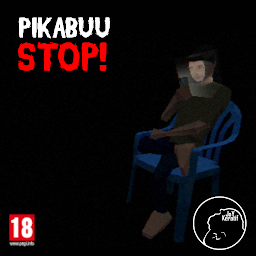


Pikabuu: STOP! is a Simulation application developed by Joykeratif, but with the best Android emulator-LDPlayer, you can download and play Pikabuu: STOP! on your computer.
Running Pikabuu: STOP! on your computer allows you to browse clearly on a large screen, and controlling the application with a mouse and keyboard is much faster than using touchscreen, all while never having to worry about device battery issues.
With multi-instance and synchronization features, you can even run multiple applications and accounts on your PC.
And file sharing makes sharing images, videos, and files incredibly easy.
Download Pikabuu: STOP! and run it on your PC. Enjoy the large screen and high-definition quality on your PC!
Game ini bukan untuk semua orang. Ini adalah sebuah cerita.Ini adalah game visual novel yang gelap, dibuat untuk membangkitkan emosi terdalam Anda dengan narasi yang kuat.
Jangan mencari gameplay penuh aksi, eksplorasi luas, atau puzzle rumit.
Di sini, yang akan Anda temukan hanyalah sebuah kisah yang sangat intim
Sinopsis :
Beni, suami dan juga ayah penyayang bagi Nadia dan Kaila, selalu memastikan kebutuhan keluarga terpenuhi dalam kesederhanaan. Namun, suatu hari, sebuah keputusan yang tak disadari menyeret keluarga kecilnya ke dalam lingkaran yang mengancam segalanya.
Penting: Mengalami Masalah Download Setelah Pembelian?
Jika Anda kesulitan men-download aplikasi ini setelah pembayaran, coba langkah berikut:
1. Periksa Koneksi Internet: Pastikan koneksi Wi-Fi atau data seluler Anda stabil.
2. Periksa Memori Penyimpanan: Pastikan perangkat Anda memiliki ruang penyimpanan yang cukup.
3. Bersihkan Cache & Data Google Play Store:
- Pergi ke Pengaturan > Aplikasi > Google Play Store.
- Pilih Penyimpanan, lalu Hapus Cache & Hapus Data.
- Lakukan juga untuk "Layanan Google Play".
- Mulai ulang perangkat Anda, lalu coba unduh kembali.
4. Pastikan Akun Google yang Benar: Gunakan akun Google yang sama dengan yang Anda gunakan saat pembelian.
5. Hubungi Dukungan Google Play: Jika masalah berlanjut setelah mencoba langkah di atas, silakan hubungi tim dukungan Google Play Store untuk bantuan lebih lanjut.







