Home/

Games/

Simulation/

Viladia: Cozy Pixel Farm

Viladia: Cozy Pixel Farm
3.0100+

Viladia: Cozy Pixel Farm

Create your pixel farm, raise animals, and explore a magical village!

Play on PC with LDPlayer
recommend
SELVAS AI Inc
How to Download&Play Viladia: Cozy Pixel Farm on PC?
Last Updated: 2026-02-07
com.selvasai.ttrebirth
Share:
  • Overview

  • FAQ

  • Game Guides

Use LDPlayer to Play Viladia: Cozy Pixel Farm on PC

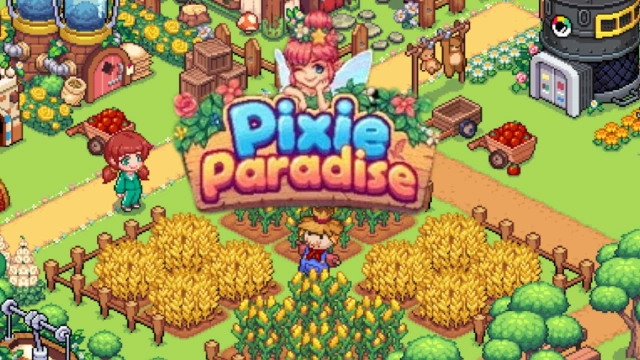
Pixie Paradise is a delightful farming simulation game that transports players into a whimsical world where modern life meets fairy magic. With its charming pixel art and engaging gameplay, players can cultivate their dream farm, interact with enchanting pixies, and explore a vibrant community.​

Key Features:

Farm & Harvest: Plant a variety of crops, from wheat to fruit trees, and harvest fresh produce to craft delicious treats. ​

Decorate & Expand: Customize your farm with unique buildings and decorations, creating a picturesque fairy village that reflects your personal style. ​

Raise Adorable Animals: Care for charming animals like chickens and cows, and even befriend magical pixies who assist in your farming endeavors. ​

Explore & Trade: Visit friends' farms, trade rare items, and unlock new areas filled with hidden treasures and surprises. ​

Engaging Quests & Events: Assist the village mayor with various missions, participate in seasonal events, and uncover the rich stories of the fairy world. ​

Enhanced Gaming Experience with LDPlayer

While Pixie Paradise is designed for mobile platforms, playing it on PC using the LDPlayer Android emulator elevates your gaming experience. LDPlayer offers precise control through keyboard mapping, allowing for more accurate farm management. The larger screen enhances the game's charming pixel art, immersing you deeper into the fairy world. Additionally, LDPlayer supports running multiple game instances simultaneously, enabling efficient resource management and trading.​

Start your enchanting journey in Pixie Paradise today and build the fairy farm of your dreams!

Open up

Screenshots and Videos of Viladia: Cozy Pixel Farm PC

Experience a wider field of view, exquisite game graphics, and cooler combat skills and effects by downloading and playing Viladia: Cozy Pixel Farm on PC with LDPlayer. Enjoy the ultimate gaming experience with LDPlayer.

Why Play Viladia: Cozy Pixel Farm on PC with LDPlayer?

LDPlayer offers unique emulator features including multi-instance support, macros, operation recorder, and other functions not available on mobile devices.

Multi-Instance & Sync

Remote Control

Custom Controls

Multi-Instance & SyncRemote ControlCustom Controls

Effortlessly clone multiple instances and initiate synchronization until you draw the desired hero before binding your account, enhancing efficiency in rerolls in Viladia: Cozy Pixel Farm.

  • High FPS

    With support for high FPS, Viladia: Cozy Pixel Farm's game graphics are smoother, and actions are more seamless, enhancing the visual experience and immersion of playing Viladia: Cozy Pixel Farm.
  • Video Recorder

    Easily capture your performance and gameplay process in Viladia: Cozy Pixel Farm, aiding in learning and improving driving techniques, or sharing gaming experiences and achievements with other players.

How to Download&Play Viladia: Cozy Pixel Farm on PC?

  • 1

    Download and install LDPlayer on your computer

  • 2

    Locate the Play Store in LDPlayer's system apps, launch it, and sign in to your Google account

  • 3

    Enter "Viladia: Cozy Pixel Farm" into the search bar and search for it

  • 4

    Choose and install Viladia: Cozy Pixel Farm from the search results

  • 5

    Once the download and installation are complete, return to the LDPlayer home screen

  • 6

    Click on the game icon on the LDPlayer home screen to start enjoying the exciting game