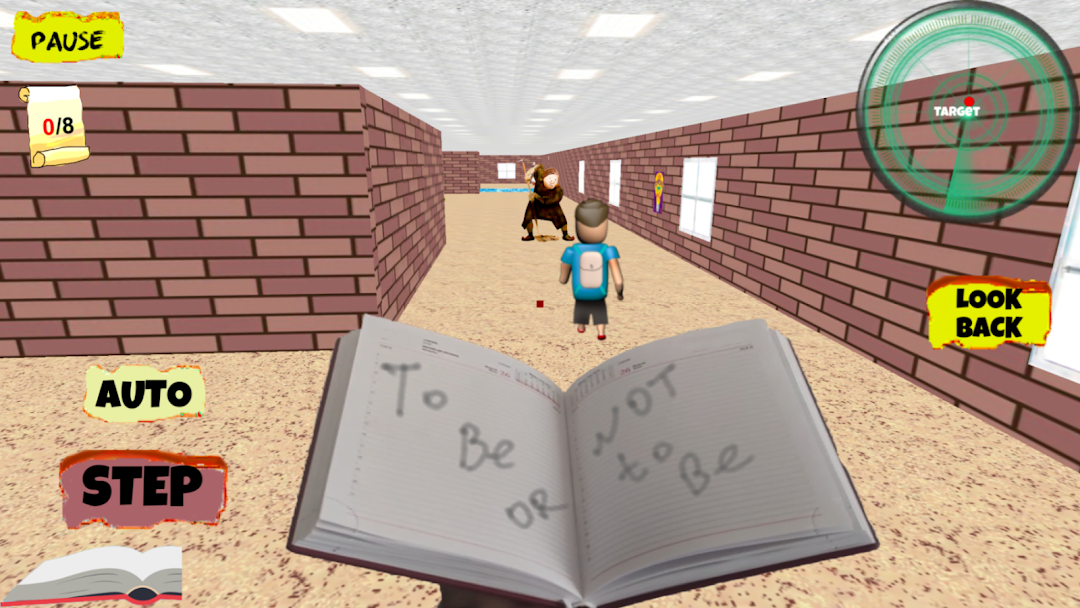
Play for Angry Teacher Part 2 is a Simulation application developed by Awecom Games, but with the best Android emulator-LDPlayer, you can download and play Play for Angry Teacher Part 2 on your computer.
Running Play for Angry Teacher Part 2 on your computer allows you to browse clearly on a large screen, and controlling the application with a mouse and keyboard is much faster than using touchscreen, all while never having to worry about device battery issues.
With multi-instance and synchronization features, you can even run multiple applications and accounts on your PC.
And file sharing makes sharing images, videos, and files incredibly easy.
Download Play for Angry Teacher Part 2 and run it on your PC. Enjoy the large screen and high-definition quality on your PC!
After the student managed to escape from the bald teacher, he went to a new school, where he will have to face a new scary teacher!Now it's your turn to be a scary angry teacher. Your students are behaving badly, you need to punish them.
Catch up with the student until he has completed his mission and escaped from you.
Being a scary angry teacher is not easy, but you will definitely succeed!
Control
Your scary teacher can move independently, your task is to guide him using the touch panel on the right or using the slider.
Also in the Control menu, you can choose the method in which the character moves by pressing the "step" button,
when filling the scale from the bottom left, or it will move automatically when you select a switch, and you just have to direct its movement.